
Dox Studio hosting · all plans
Your client area at clients.doxstudio.com is where your hosting lives: your services, your invoices, your tickets and the button that opens cPanel without asking for another password.
Log in
- Go to clients.doxstudio.com.
- Write the Email Address we have on file for you and your Password, then click Login.
- Don’t remember the password? Click Forgot?, write your email, and a link to set a new one arrives by email.
There is no sign up: we create your account when you hire the hosting. To see the client area in Spanish, choose Español in the language menu at the bottom of the page.
See your hosting
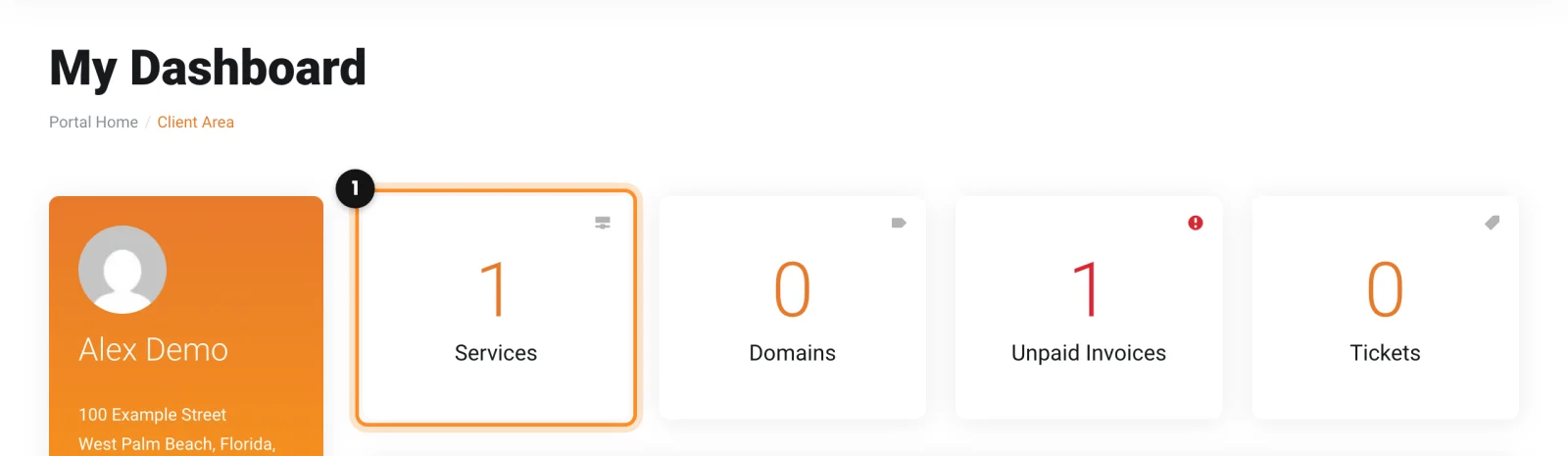
- On the dashboard, click Services (1), or open Services in the top menu.
- Click your hosting plan. Its page shows the domain, the next due date and the price.
Open cPanel and webmail
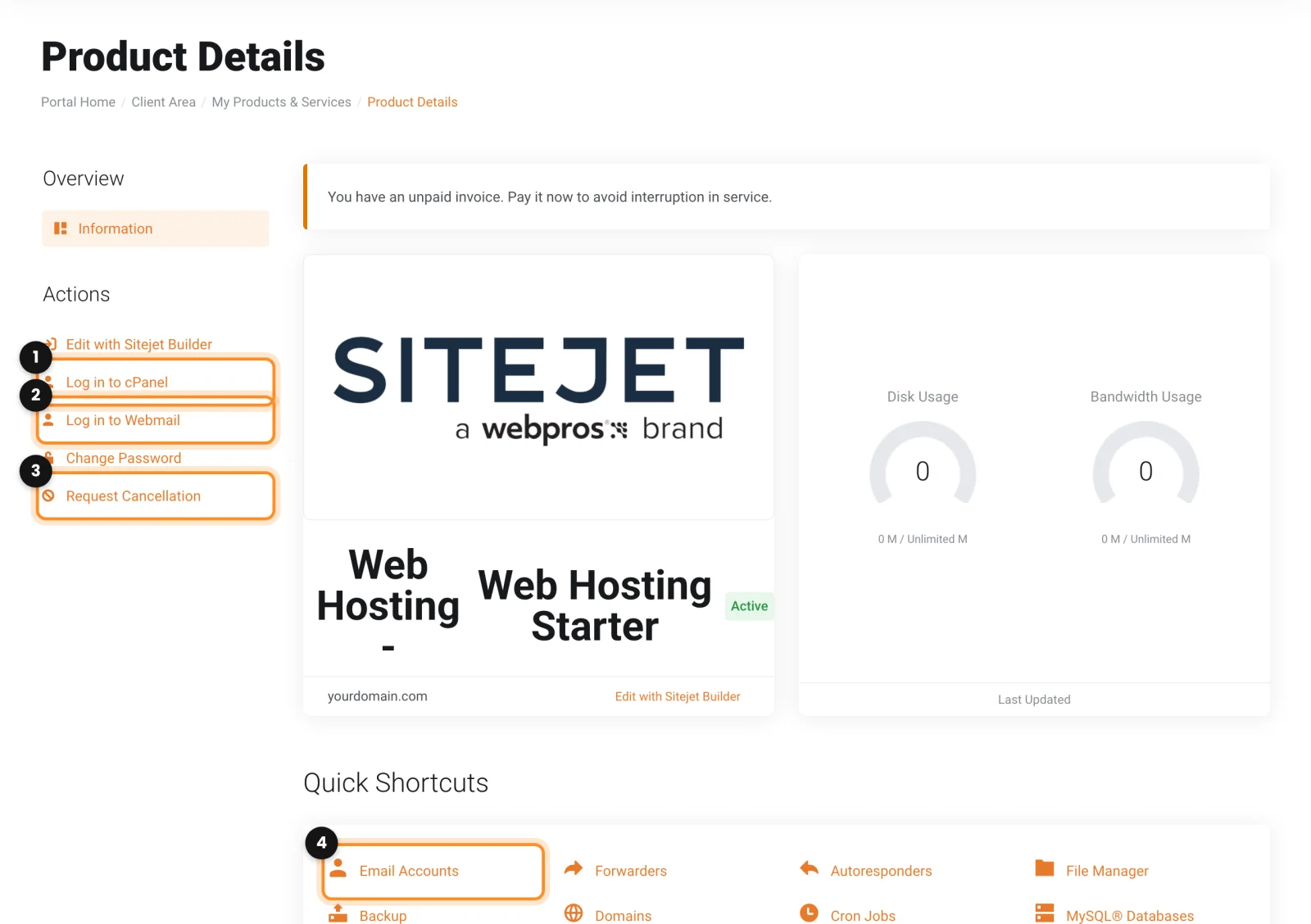
- Log in to cPanel (1) opens your control panel, already signed in.
- Log in to Webmail (2) opens webmail for the main account of the hosting. To read the mailbox of one person, sign in to webmail with that mailbox (see the note below).
- Quick Shortcuts take you straight to a part of cPanel, for example Email Accounts (4).
- Request Cancellation (3) is for ending the service. See Invoices, payments and automatic renewal.
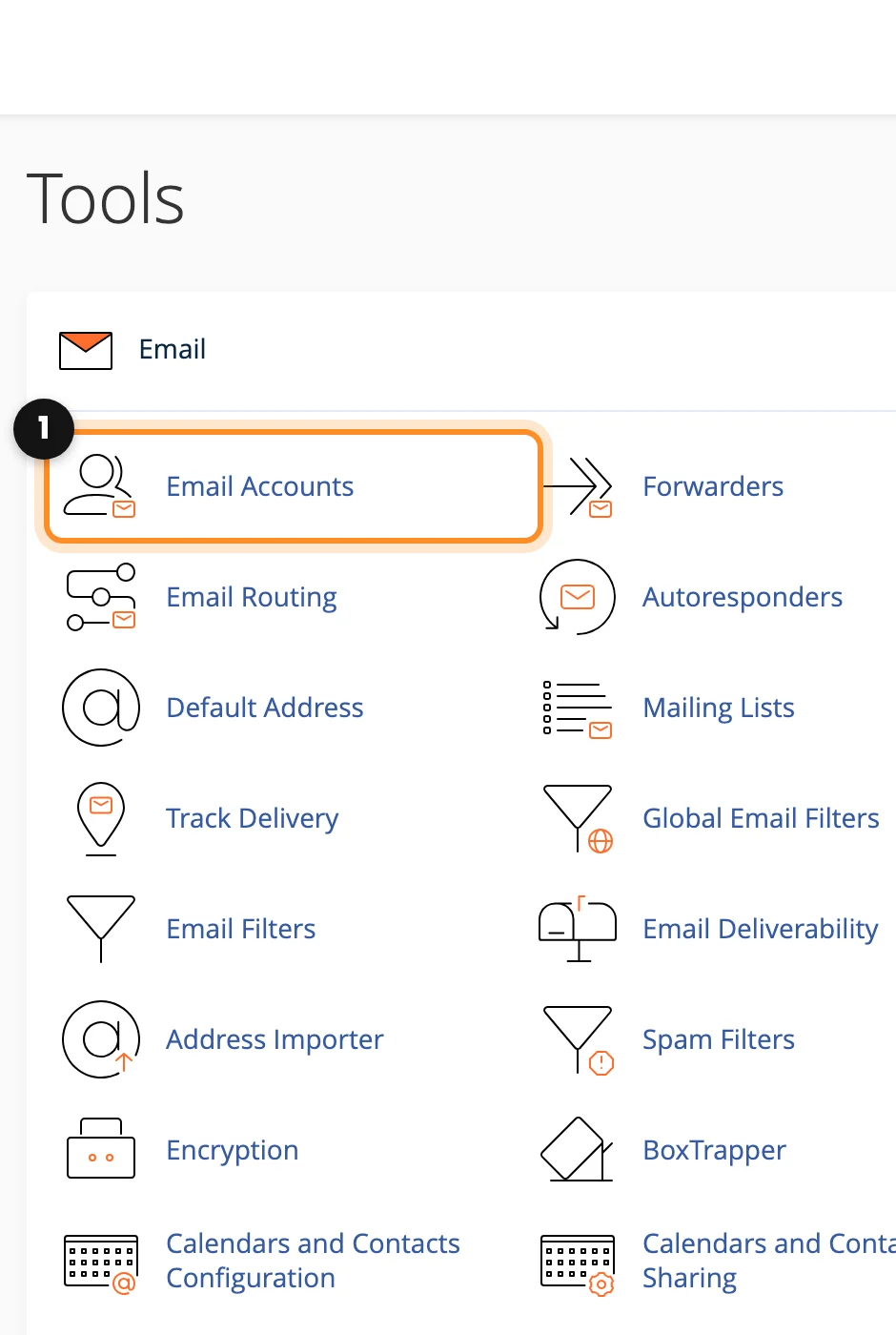
Other ways in: webmail is at webmail.yourdomain.com, where each person signs in with their full email address and its password, without the client area. cPanel is also at cpanel.yourdomain.com, but the client area button is easier: it needs no second password.
Note: your DNS is edited in cPanel, not in the client area. See Edit your DNS records.