
Dox Studio hosting · all plans
For your website and your email to work on our hosting, your domain has to point to it. If we registered the domain for you, it already does and there is nothing to do. If it is with another company (GoDaddy, Namecheap, Cloudflare…), change it there.
The usual way: our nameservers
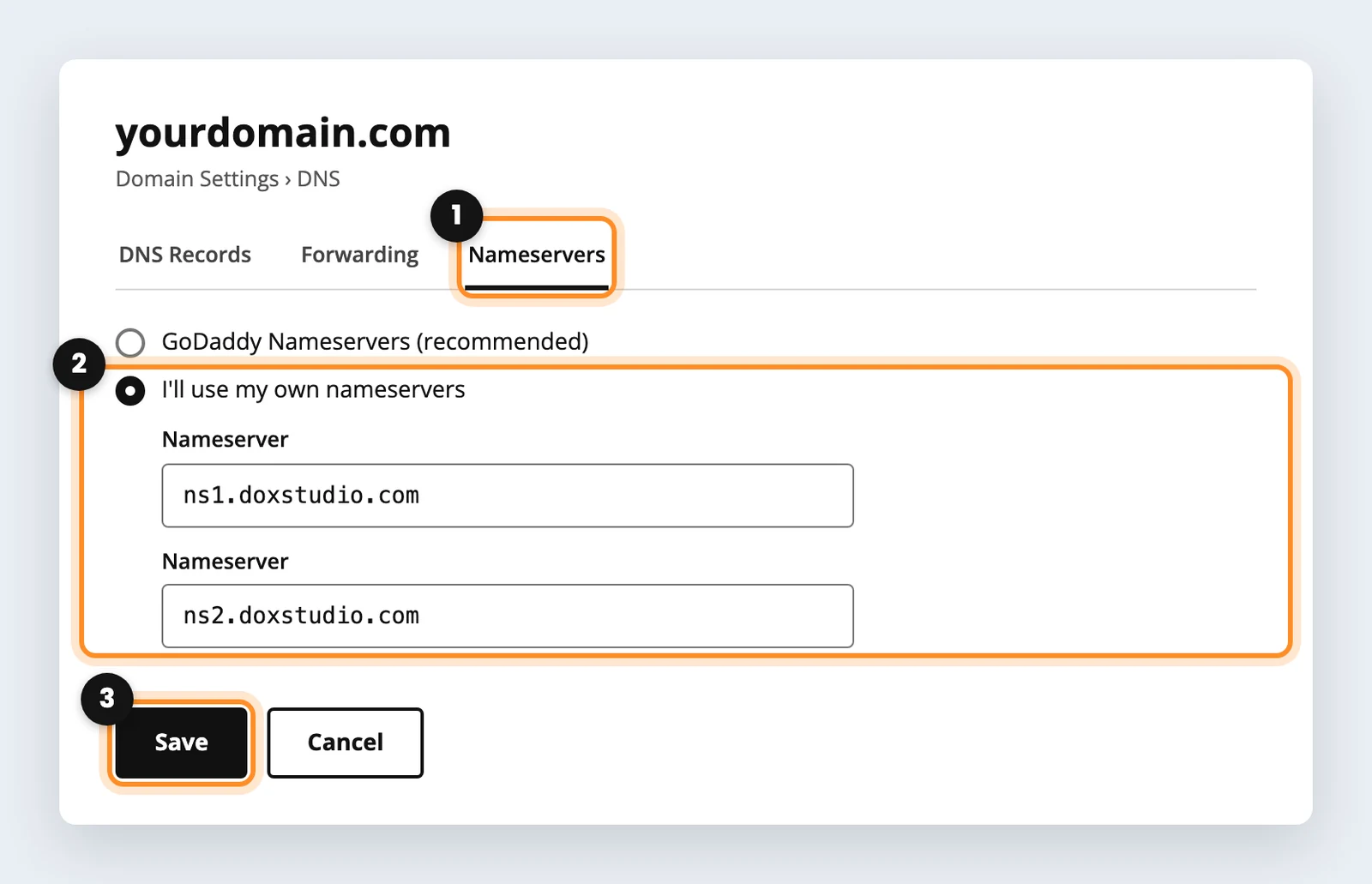
- Sign in where you bought the domain and open its settings. The option is usually called Nameservers or DNS servers (1).
- Choose custom nameservers (2) and write these two:
ns1.doxstudio.comns2.doxstudio.com - Remove any other nameserver in the list and save (3).
This is how it looks at GoDaddy. At other companies the names change a little, but the steps are the same:
From then on the DNS of your domain lives in your cPanel, and you edit it there (see Edit your DNS records).
If your DNS stays somewhere else
If you keep your DNS in Cloudflare or at your registrar, create or change these records there instead:
| Type | Name | Value |
|---|---|---|
| A | @ (the domain) | 152.53.171.39 |
| A | www | 152.53.171.39 |
| A | mail | 152.53.171.39 |
| MX | @ | mail.yourdomain.com, priority 0 |
In Cloudflare, leave the mail record as DNS only (the gray cloud): with the proxy on, email doesn’t work. Ask us for the SPF, DKIM and DMARC records too, so your emails don’t land in spam.
How long it takes
- The change usually shows in a few hours, and can take up to two days to reach everyone.
- The SSL certificate (the
httpspadlock) is issued on its own once the domain points to us. It can take a few more hours. - Changing a domain that already has email? Tell us before, so no message gets lost during the move.