
Dox POS with Polylang or WPML · translations from the register with Dox POS Pro 0.42 or later
With Polylang or WPML each product exists once per language. Dox POS shows it once and counts it once. With Dox POS Pro you also write each language’s text from the register, and a new product is created in every language at once.
What Dox POS does on its own
Without the Pro, and with Polylang or WPML:
- Each product shows once, in the store’s main language: in Sell, Inventory, the search, the Excel file and the counts.
- What sells on the website in another language counts toward its main product, and Movements writes each change once.
- A product created in the register is created in the main language.
- Editing a product from the register changes only the main product. The translations stay as they are, and you keep translating them in WordPress.
The Dox POS settings and the register show a short notice about what the Pro adds. Close it with the x and it does not come back for you.
What you need for the rest
- Dox POS Pro 0.42 or later, with Dox POS 0.60 or later.
- Polylang (the free version is enough). With WPML the register only filters the lists: the translations are still made in WPML.
- For the translations to share their stock, the store needs Polylang for WooCommerce, WooCommerce Multilingual (WPML) or a code snippet. Polylang (free) does not do it, and Dox POS does not copy stock between languages: it changes stock through WooCommerce, so any of those picks it up.
A tab per language
Above the Name and the Description of the product form there are tabs with each language (ES, EN), both when you create a product and in Edit this product.
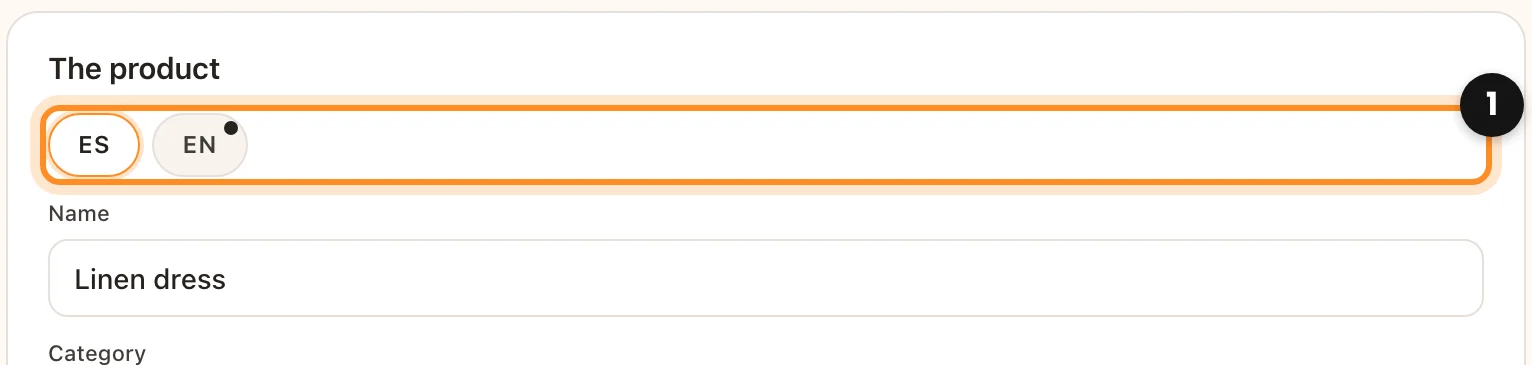
- Each tab keeps the name, the short description and the description of that language, and saves them to its own translation.
- A dot on a tab means that language still has the main language’s text. If you leave it like that, the product is still created in that language, published and ready to sell, with the main text until you translate it.
Create in every language
A product created in the register is also created in every other language of the store, linked as its translation and published, so it sells in every language from day one. When you save, the register tells you (“Also created in English.”) and warns you if a category has no translation in a language: there it stays without a category until you translate it in WooCommerce.
The SKU of each translation ends in its language (VE-0012-EN), because WooCommerce does not allow the same SKU twice.
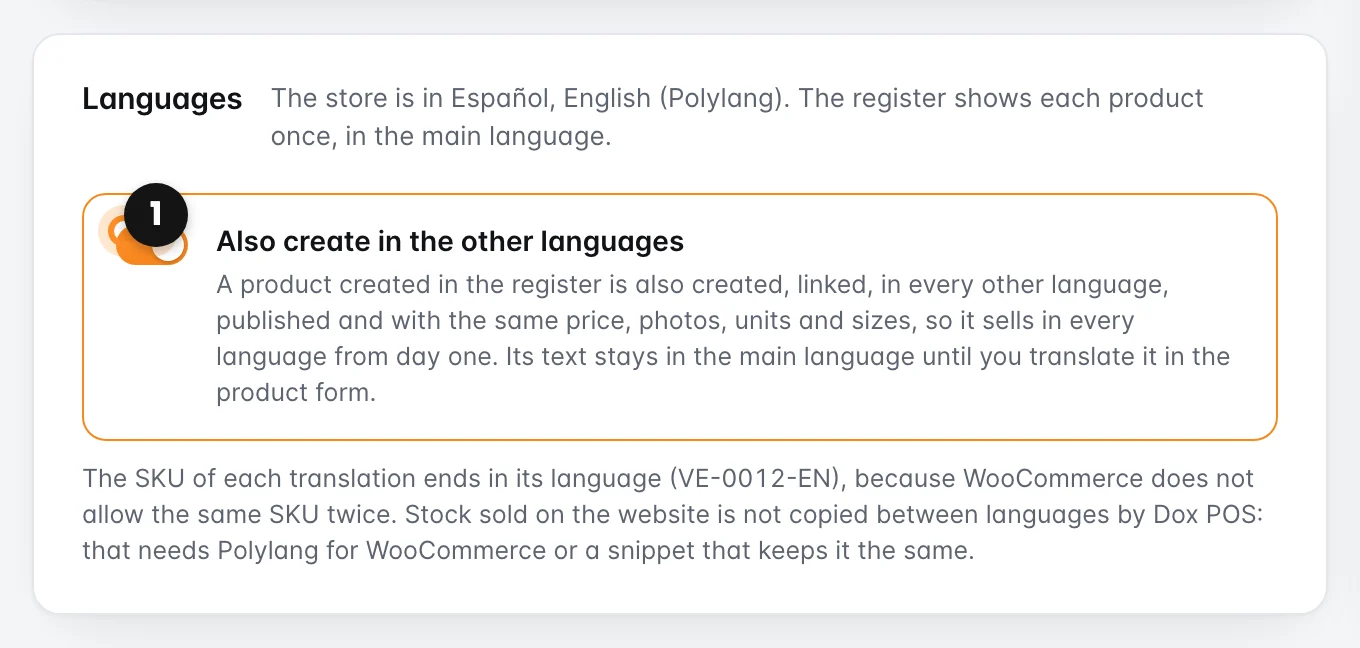
If you prefer to create the translations yourself, turn off Also create in the other languages in the Dox POS settings, Products tab, Languages card.
Missing in English and Create now
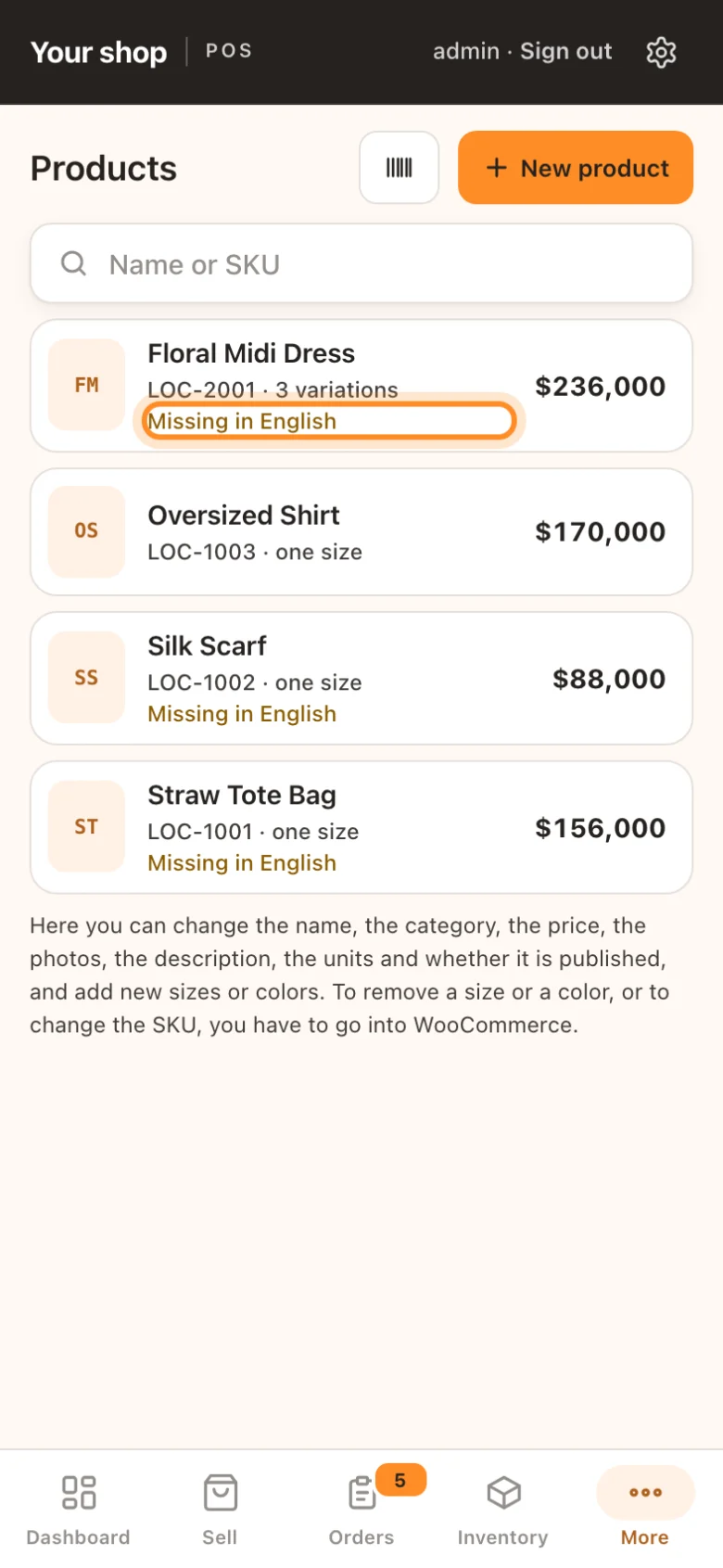
If a product is missing a language (because it was made before the store had Polylang, or because the connection dropped while it was being created), Inventory and the Products list mark it Missing in English.
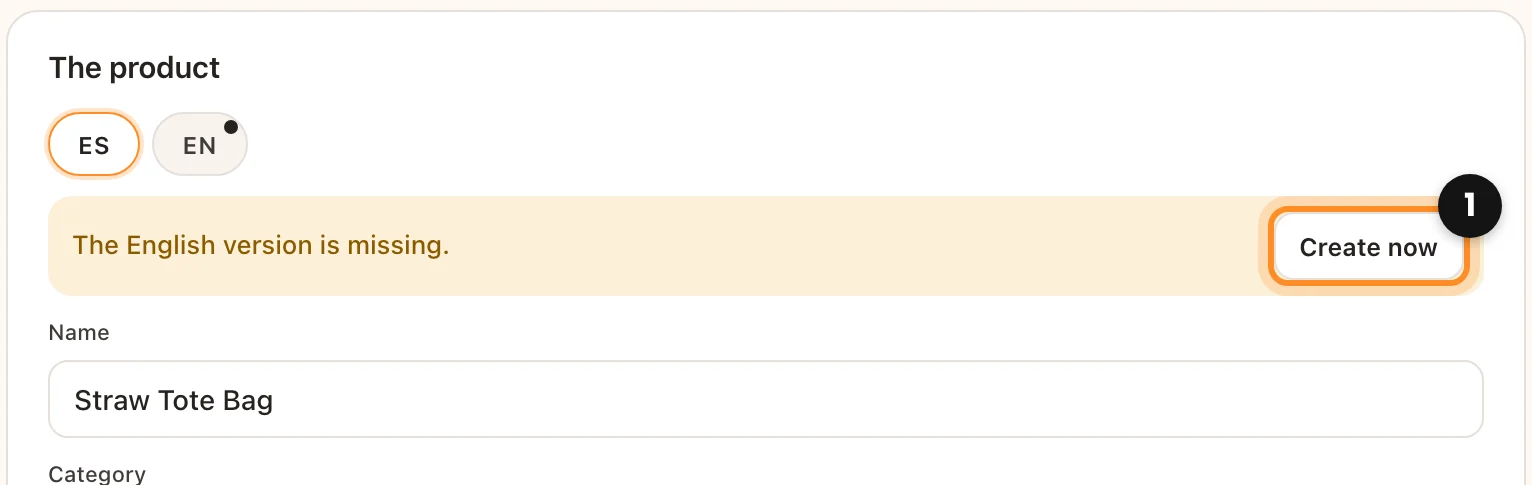
Opening it creates the missing language by itself. If you turned off Also create in the other languages, the form shows The English version is missing. with a Create now button. It is never created twice: a translation left half made is finished the next time.
Translate with the assistant
With the assistant on, the tabs of the other languages show Translate: it fills the name and the descriptions of that language from the main one, and you check them before saving. Only administrators and shop managers see it.

What is shared and what each language keeps
- Shared: price, sale price, cost, photos, categories (in their translation), units, sizes and colors. You write them once and they go to every language when you save. With Price Based on Country, the prices of each zone go too. Sell in several currencies
- Each language: the name, the short description and the description.
- Photos of a translation: if you uploaded its own photos in WordPress (with the alt text in its language, for example), they are kept. The translation only takes the main product’s photos when you change them in the register.