
Dox Studio hosting · all plans
Your hosting renews on its own: the invoice arrives before the due date, and if you have a saved card it is charged that day. Here is the calendar, how to pay, and how to cancel if you need to.
The billing calendar
- 14 days before the due date, the hosting invoice arrives by email (30 days before for a domain).
- 7 days before, a reminder, if it is still unpaid.
- On the due date, the saved card is charged on its own.
- 5 days after the due date without payment, the hosting is suspended: the website and the email stop until the invoice is paid.
- 30 days after without payment, the hosting account is deleted.
There is no late fee. You pay in US dollars or Colombian pesos, depending on the currency of your account.
Pay an invoice
- The quickest: click the pay button in the invoice email. It opens the payment without logging in.
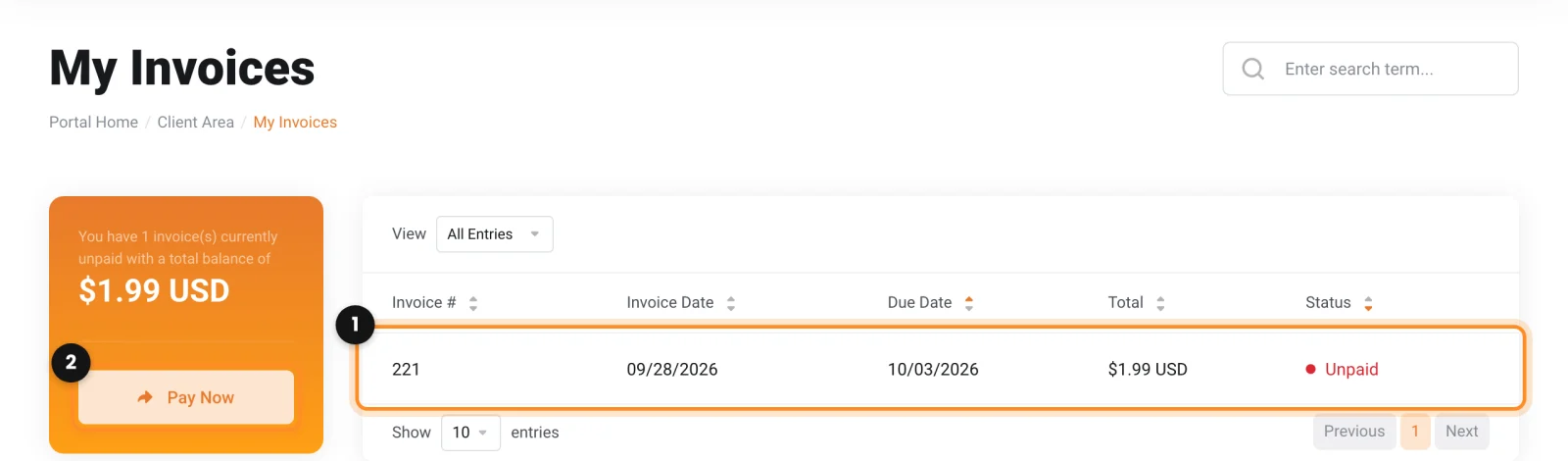
- Or, in the client area, open Billing › My Invoices. Your invoices are listed with their status (1).
- Click Pay Now (2) and pay with your card, Apple Pay or Google Pay.
Save or change your card
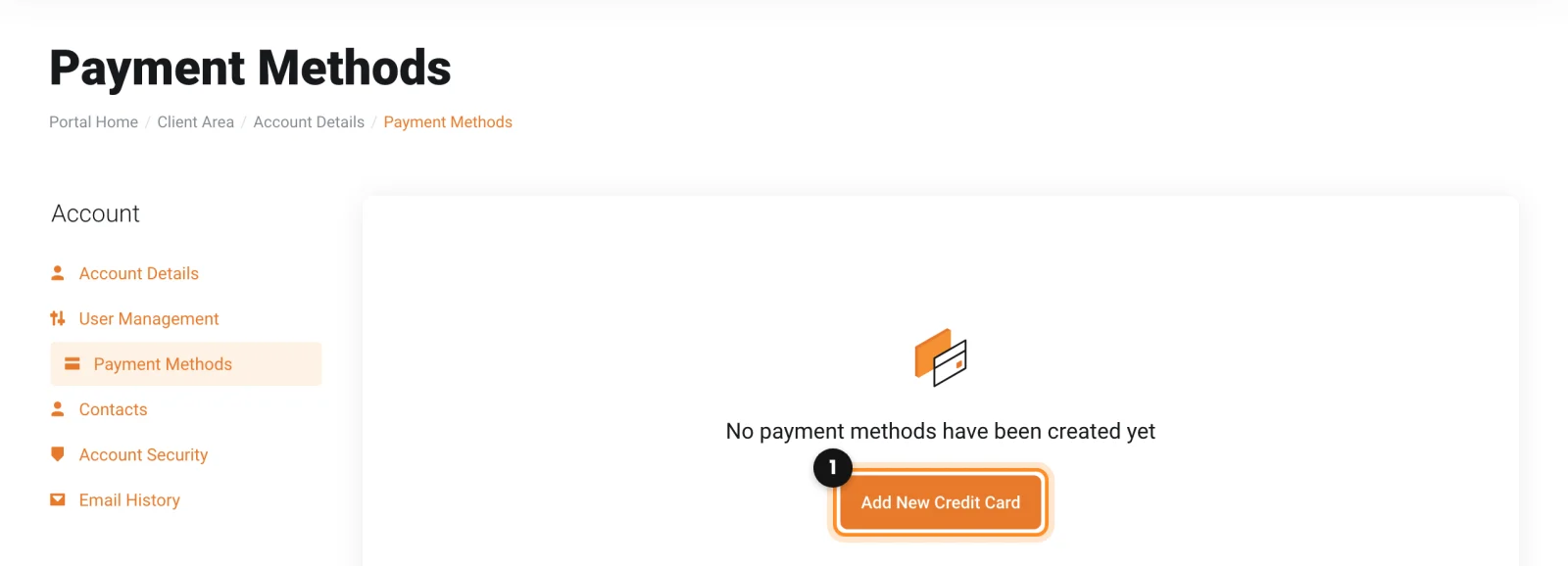
- Click your name at the top right of the client area, then Payment Methods.
- Click Add New Credit Card (1), write the card and click Save Changes.
The card is kept safely by Stripe, our payment processor; we never see its number. When you pay an invoice with the email button, the card is saved too, for the next renewal.
Change plan or cancel
To move to another plan, open a ticket and we change it for you. You can cancel any time, from the client area or by writing to support@doxstudio.com. The service stays active until the end of the period you already paid, and it is not renewed. From the client area:
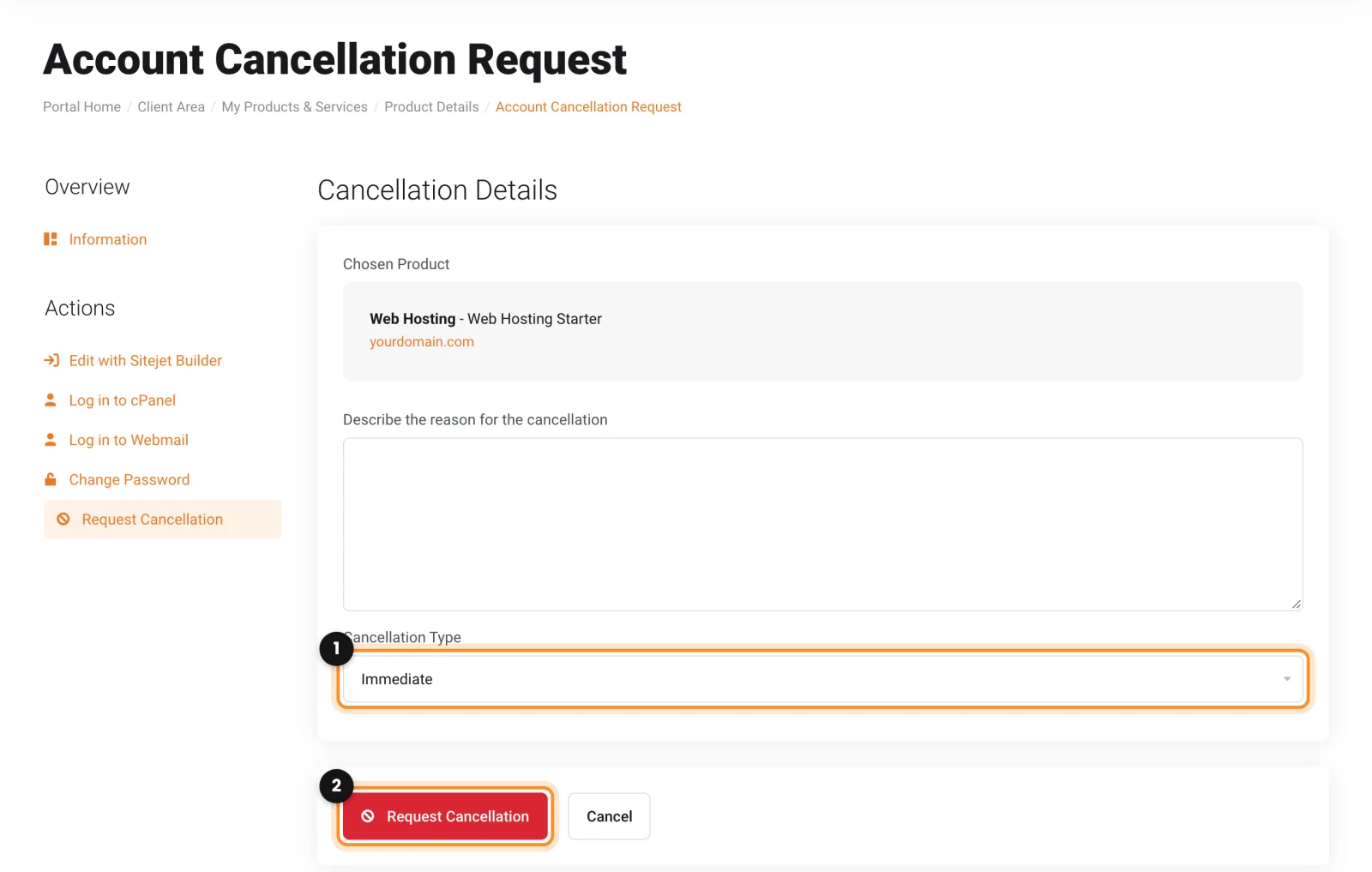
- Open Services, click your plan, then Request Cancellation.
- Tell us why, if you want. It helps us improve.
- In Cancellation Type (1), choose End of Billing Period: the service keeps working until the date you already paid.
- Click Request Cancellation (2). The pending invoice of that service is cancelled too.
Before you cancel, download what you want to keep (the website files and the email): when the service ends, the account is deleted. Refunds are explained just below.
Refunds: money-back guarantee
On your first purchase of a hosting plan, you can ask for a full refund:
- Annual plans: within 30 days of the payment date.
- Monthly plans: within 48 hours of the payment date.
- Ask for it with a ticket or by writing to support@doxstudio.com. The money goes back to the payment method you used.
Not refundable: renewals; domain registrations, transfers and renewals; and work already done at your request, such as a migration. The guarantee doesn’t apply to accounts suspended or closed for breaking the terms. The full policy is in section E of our Terms of Service.