
Dox Sales Booster 1.7.4 · free plugin · Needs WooCommerce
Dox Sales Booster is installed by uploading its zip file to WordPress. Its panel lives in Dox Plugins › Sales Booster, and updates arrive on their own.
Install the plugin
You need WordPress 5.9 or newer, PHP 7.4 or newer and WooCommerce. Dox Sales Booster is not in the WordPress.org directory: you download it from its page on GitHub.
- Open the latest release and, under Assets, download
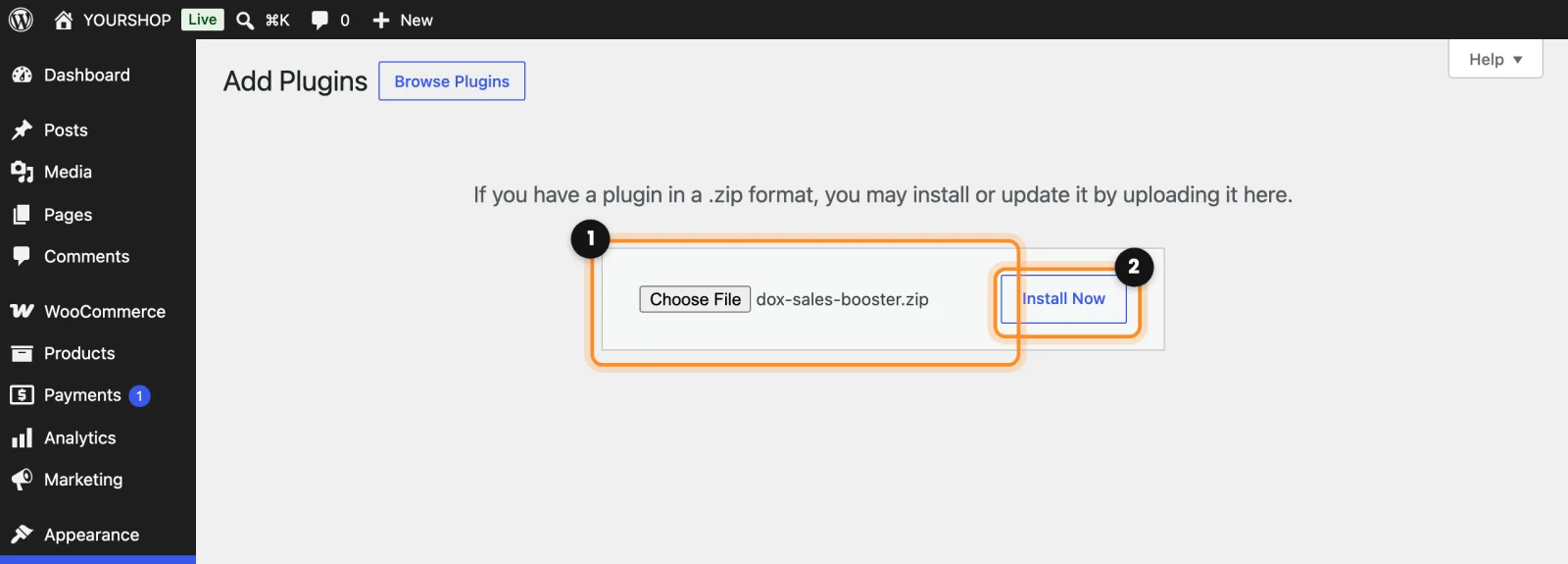
dox-sales-booster.zip. Don’t use the Source code links: that is not the plugin ready to install. - In WordPress, go to Plugins › Add New Plugin and click Upload Plugin at the top.
- Click Choose File and pick the zip you downloaded (1). Don’t unzip it.
- Click Install Now (2).
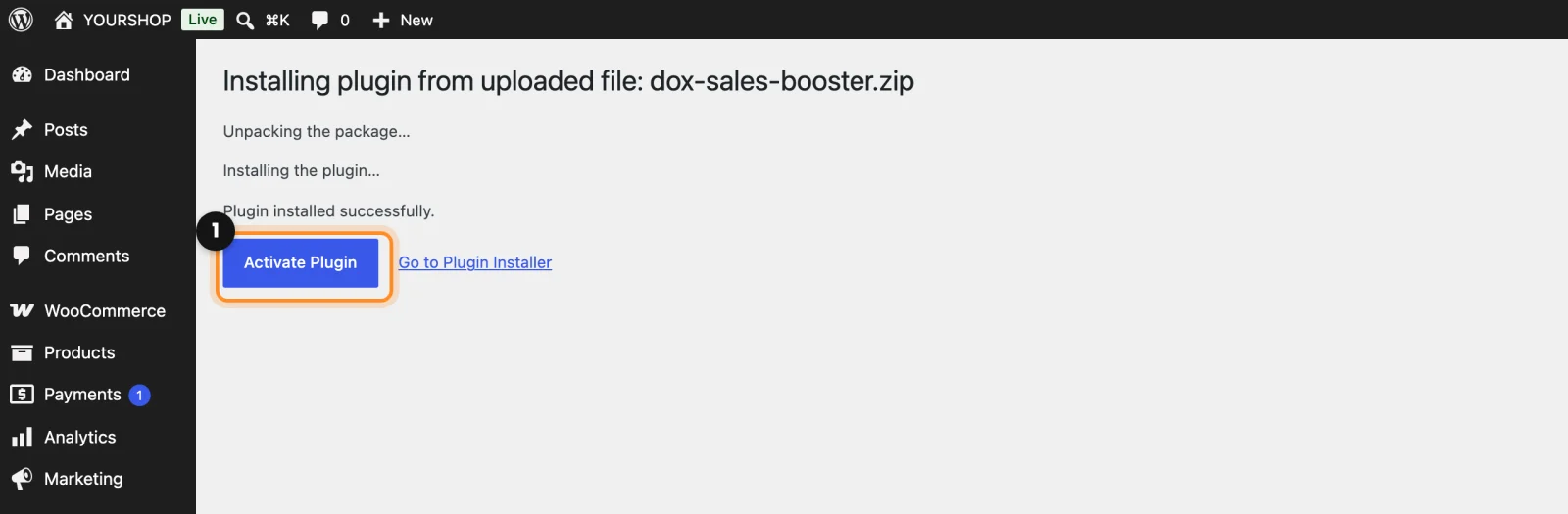
- When it says Plugin installed successfully, click Activate Plugin (1).
Open the panel
Go to Dox Plugins › Sales Booster (1) in the WordPress menu. Everything is set up in its tabs (2), and nothing changes in your store until you click Save changes, at the top right.
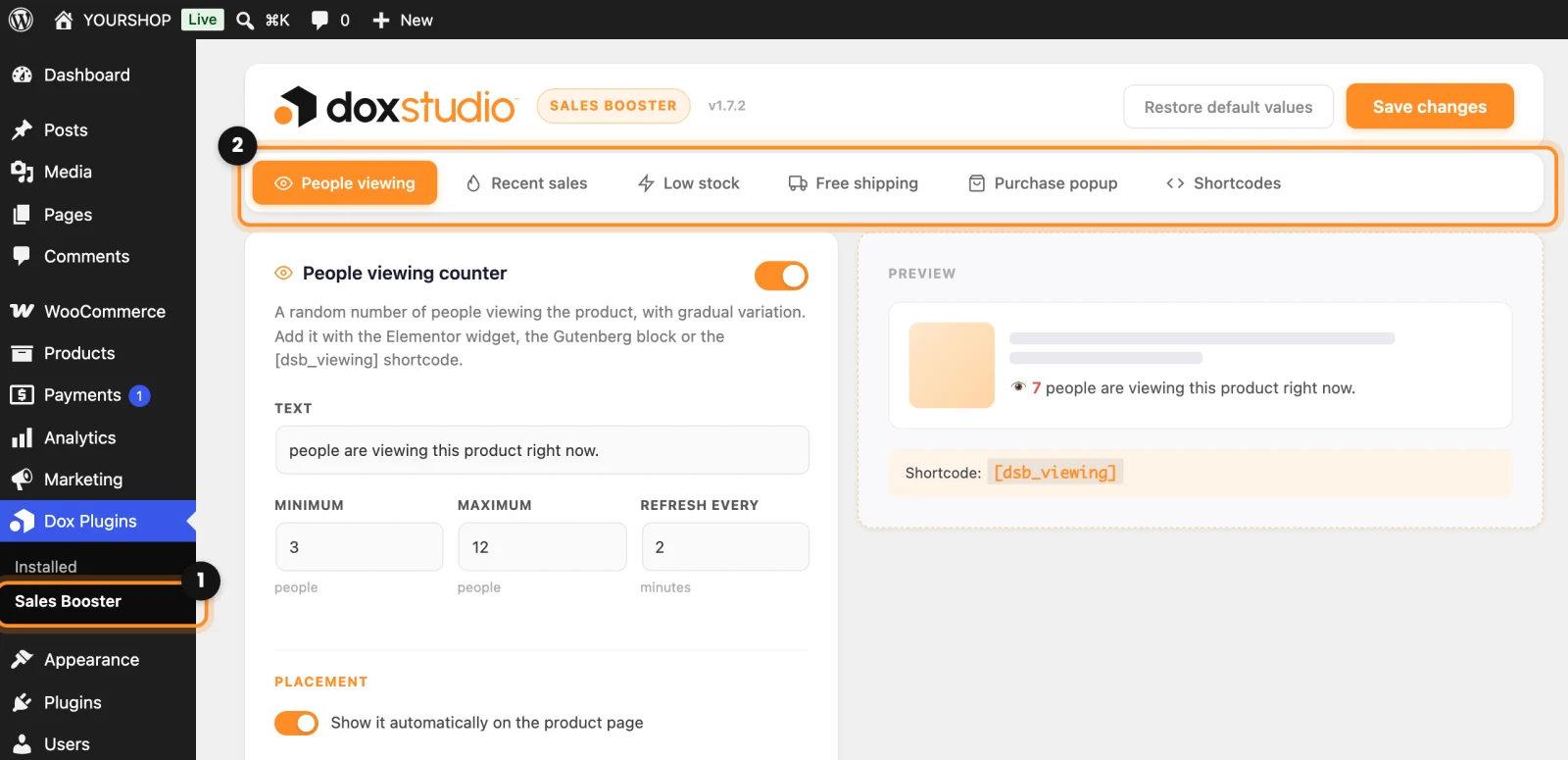
- People viewing: a counter of people looking at the product.
- Recent sales: how many units of the product were sold in a period.
- Low stock: a notice when only a few units are left, taken from your real inventory.
- Free shipping: a bar that tells the customer how much is left to get free shipping.
- Purchase popup: a small notice, at the bottom of the screen, with a recent purchase.
- Shortcodes: the codes to place each element yourself.
Before you open the store: since version 1.7.3, a new install starts with real data: Recent sales and the purchase popup in Real mode, and People viewing off. The free shipping bar also starts off. If you are updating from an earlier version, your settings stay as they were: go through the tabs and check that they use Real data, as the next guides explain.
Updates
There is nothing to set up. New versions show up in Dashboard › Updates and on the Plugins screen like any other plugin, and you update with one click. WordPress checks about twice a day; to check right away, click Check for updates in the Dox Sales Booster row of Plugins.