
Dox Studio hosting · all plans
The fastest way to reach us is a ticket from your client area: it goes to the right person and the whole conversation stays in one place. You can also write to support@doxstudio.com. We answer Monday to Friday, 9 a.m. to 5 p.m. Eastern Time; on Saturday and Sunday we are closed. A ticket sent outside those hours waits in line and we answer it on the next business day.
Open a ticket
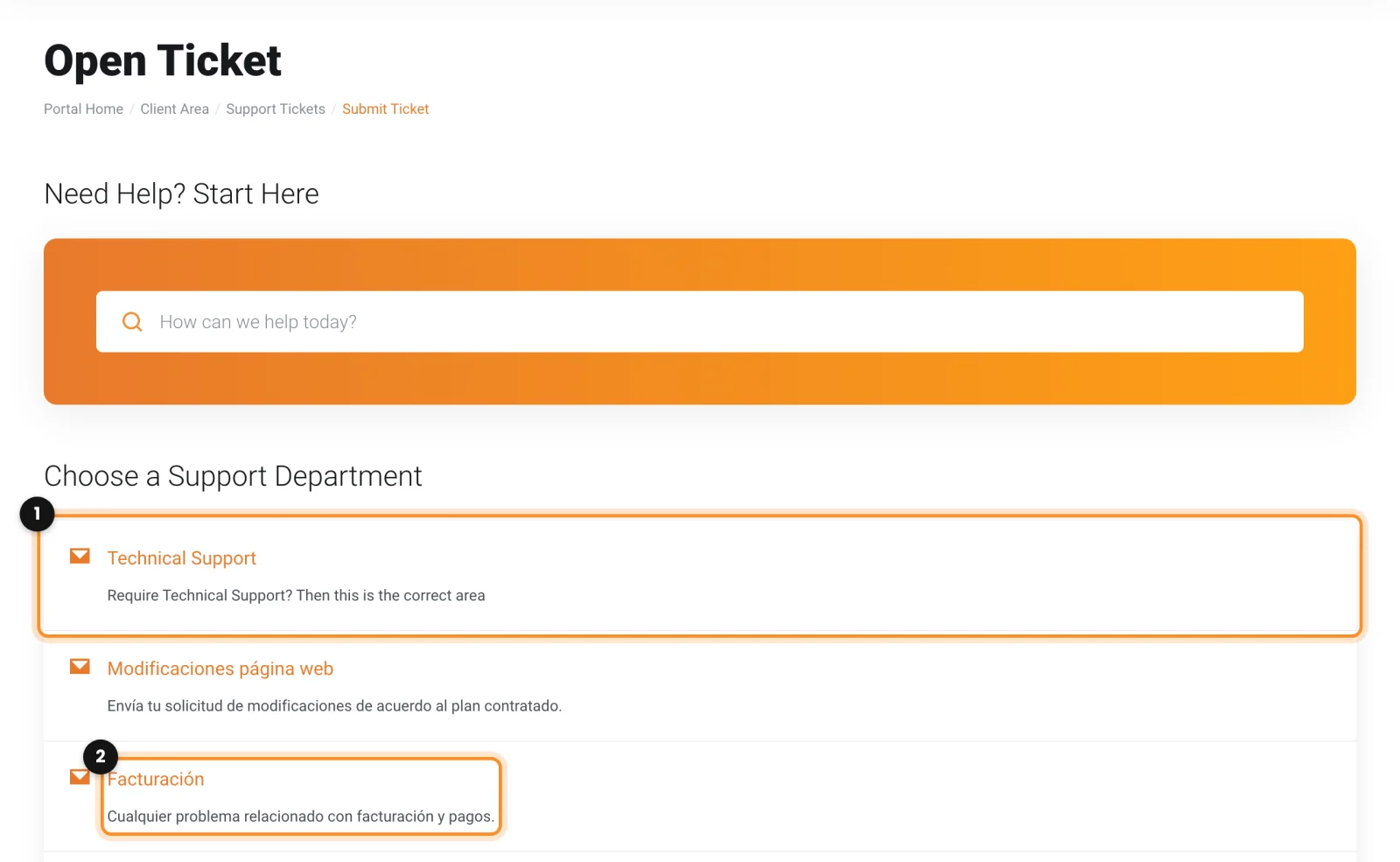
- Log in to clients.doxstudio.com and click Open Ticket (top right), or go to Support › Open Ticket.
- Choose the department: Technical Support (1) for the hosting, email, domains or anything that stopped working; Facturación (2) for invoices and payments; Modificaciones página web for changes to your website.
- Write a subject that says the problem, for example “Emails from info@ bounce”, and the details.
- Attach screenshots if you have them (JPG, PNG, GIF, PDF or TXT) and submit it. The answer arrives by email and also stays in Support › Tickets.
What to tell us
With this we can usually fix it on the first answer:
- The domain and, for email, the exact address (info@yourdomain.com).
- What you were doing and what happened, with the exact error message. For a bounced email, forward us the bounce.
- When it happened, even roughly, and whether it happens to everyone or only on one device.
- A screenshot of what you see.
Never send passwords in a ticket or an email. If we need to get into something, we’ll tell you how to give us access safely.
Changes to your website
Your plan includes Essentials Care, which covers WordPress updates, security and some content or design changes each month. Ask for them with a ticket in Modificaciones página web. What is included, and what we quote apart, is on the web maintenance page.
Before this: Your client area: log in, see your services and open cPanel