
Free plugin · Dox POS 0.51 or newer
When a customer wants a product but has not paid all of it yet, put it on layaway. The units are held for them until the date you choose (or with no date), they can leave deposits, and they get a message with what is left and the payment link.
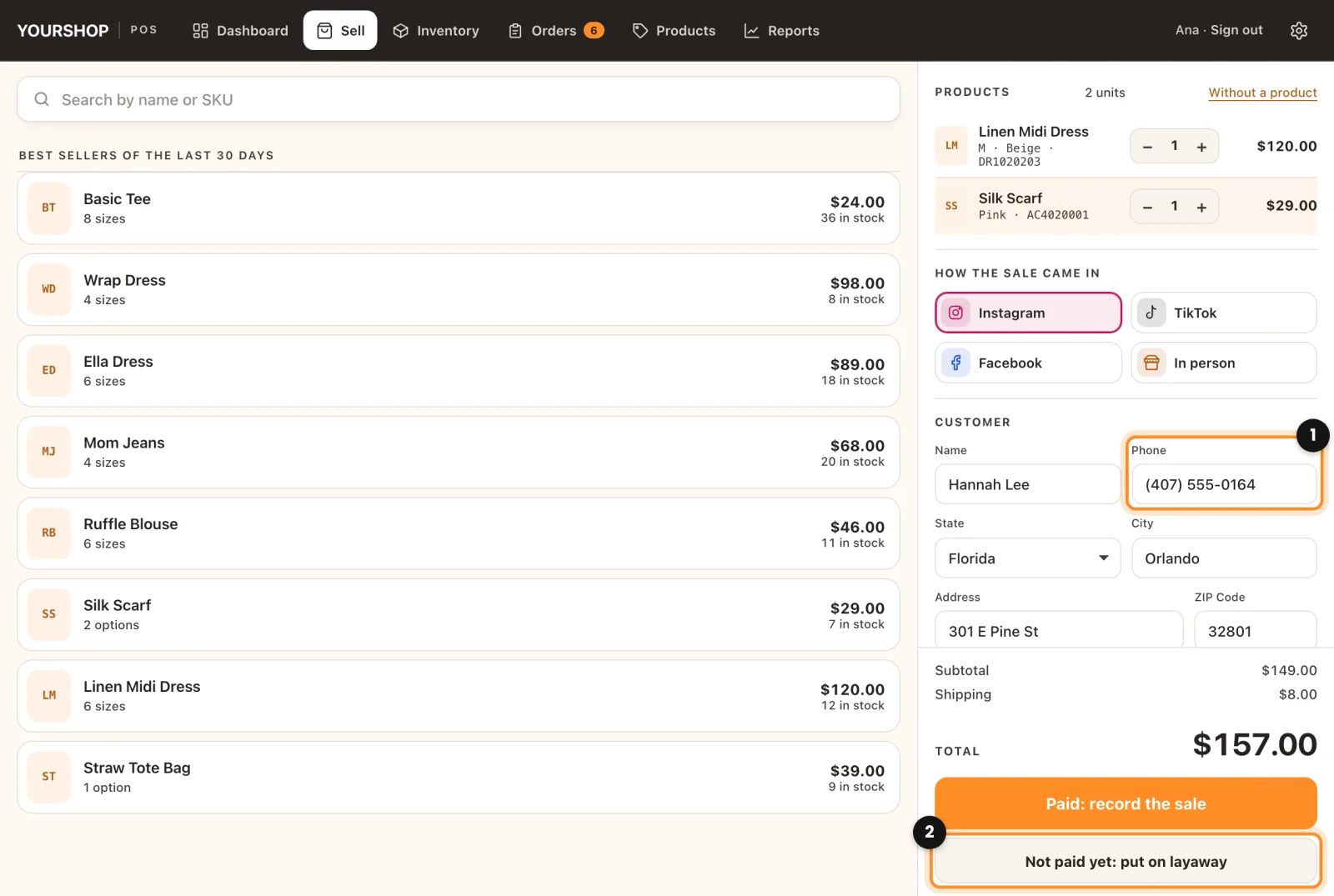
Put a product on layaway
- In Sell, build the order like any sale: products, how the sale came in, the customer and how they will pay.
- Write the customer’s phone (1). A layaway needs it, because the message goes there.
- Tap Not paid yet: put on layaway (2).
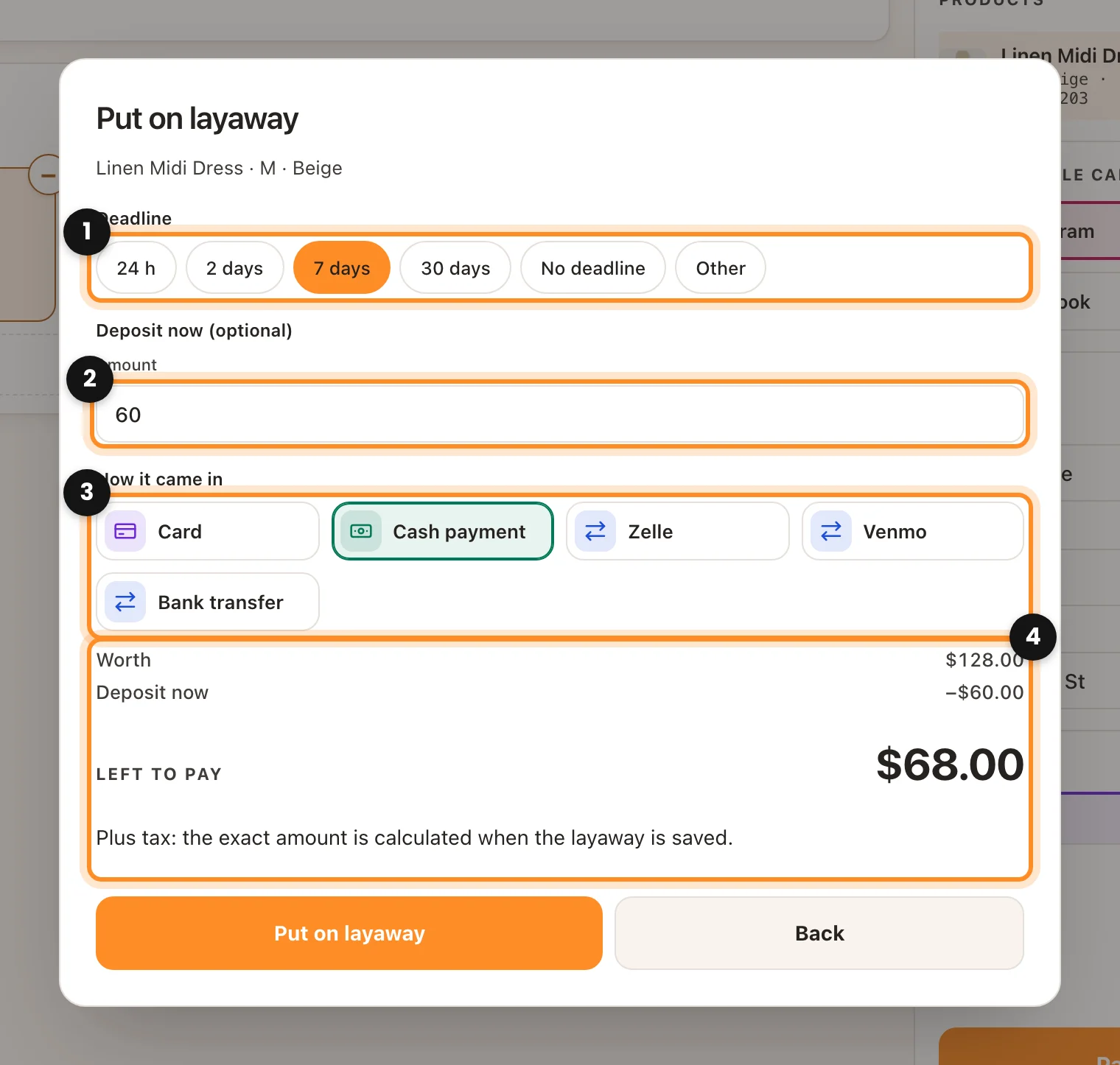
- Choose the Deadline for this layaway (1): 24 h, 2, 7 or 30 days, No deadline or Other, where you write any number of hours or days. It starts with the one in the settings.
- If the customer leaves money now, write the deposit Amount (2) and tap how it came in (3). It is optional: with no deposit, the layaway stays unpaid.
- Below you see what it is worth, the deposit and what is Left to pay (4). Tap Put on layaway.
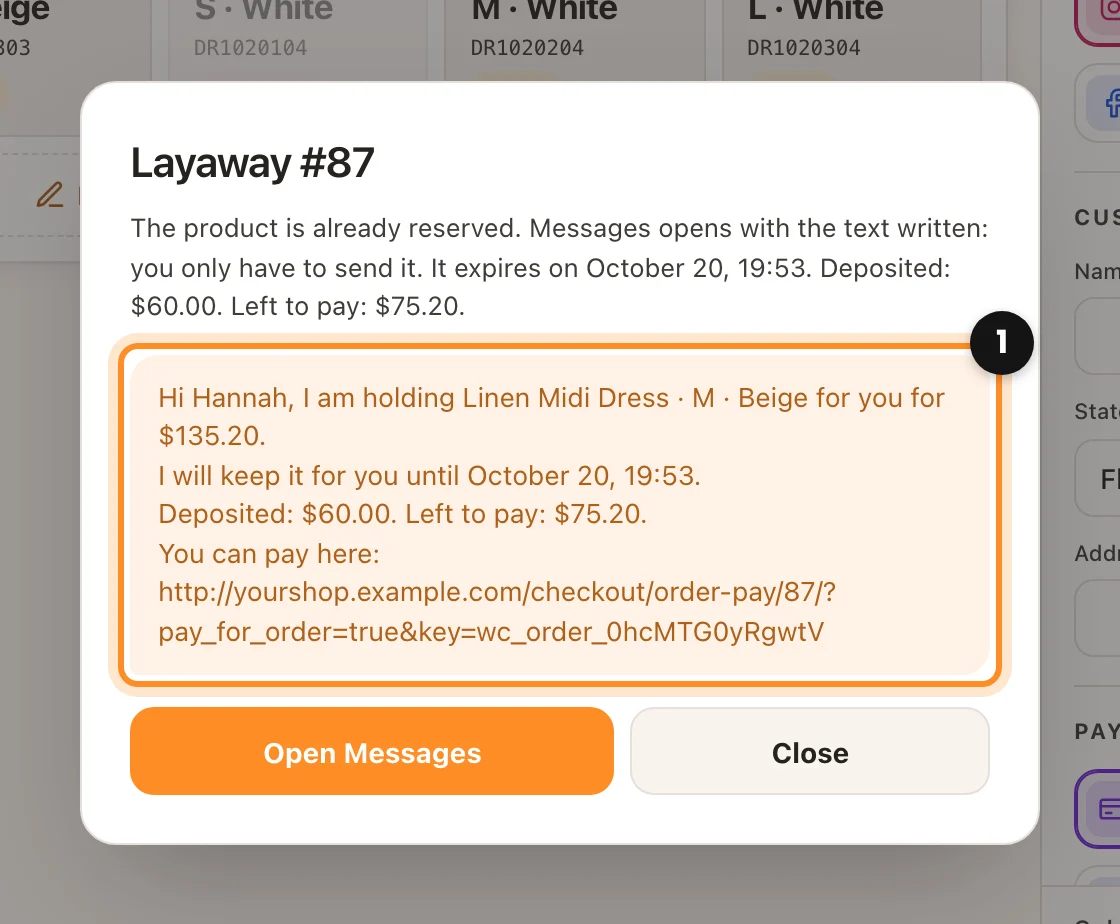
The Layaway #1234 window shows the message already written (1): the products, what it is worth, until when you hold it, the deposit, what is left and the payment link. Tap Open WhatsApp and send it. If you chose text messages in the settings, the button says Open Messages. If the customer pays with that link, they pay only what is left.
How does the money count? Each deposit counts as a sale on the day it comes in, with the payment method it came with. When the customer pays the rest, only the new money counts, on that day. Nothing counts twice.
Follow the layaway and charge the rest
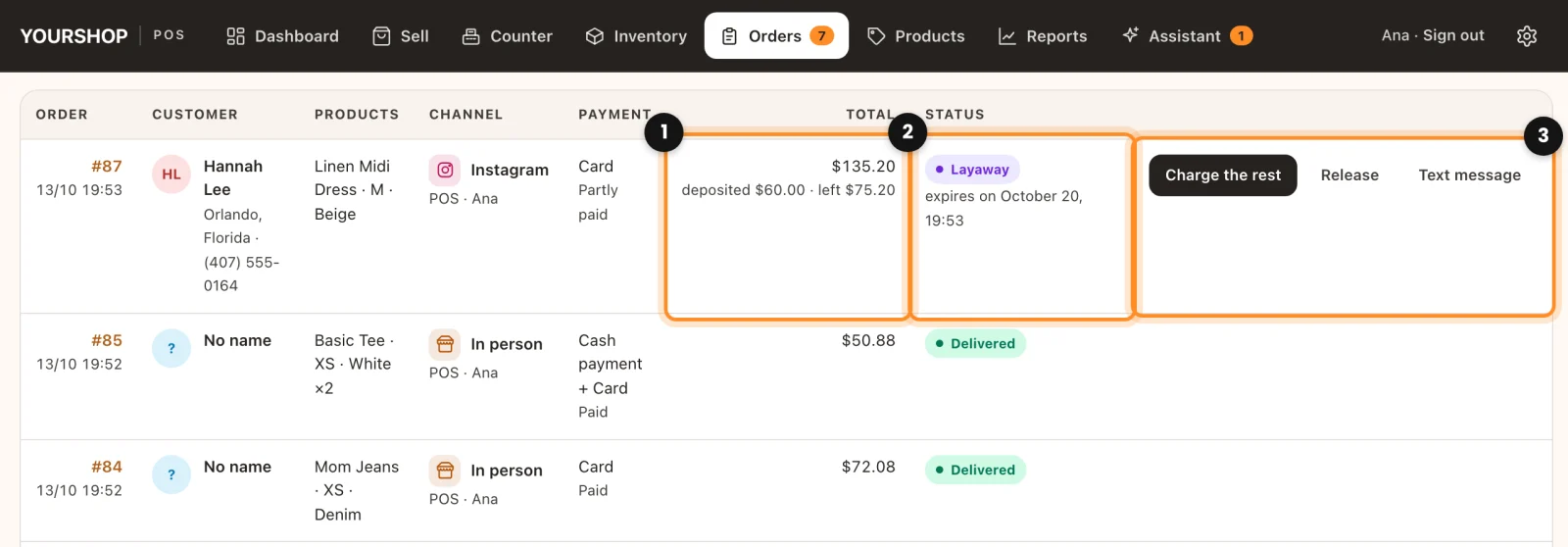
- Open Orders. Each layaway shows what it is worth and, if it has deposits, what was deposited and what is left (1).
- Under Layaway you see when it expires (2): expires in 20 h, the date, No deadline or Expired.
- When they pay what is left, tap Charge the rest (3).
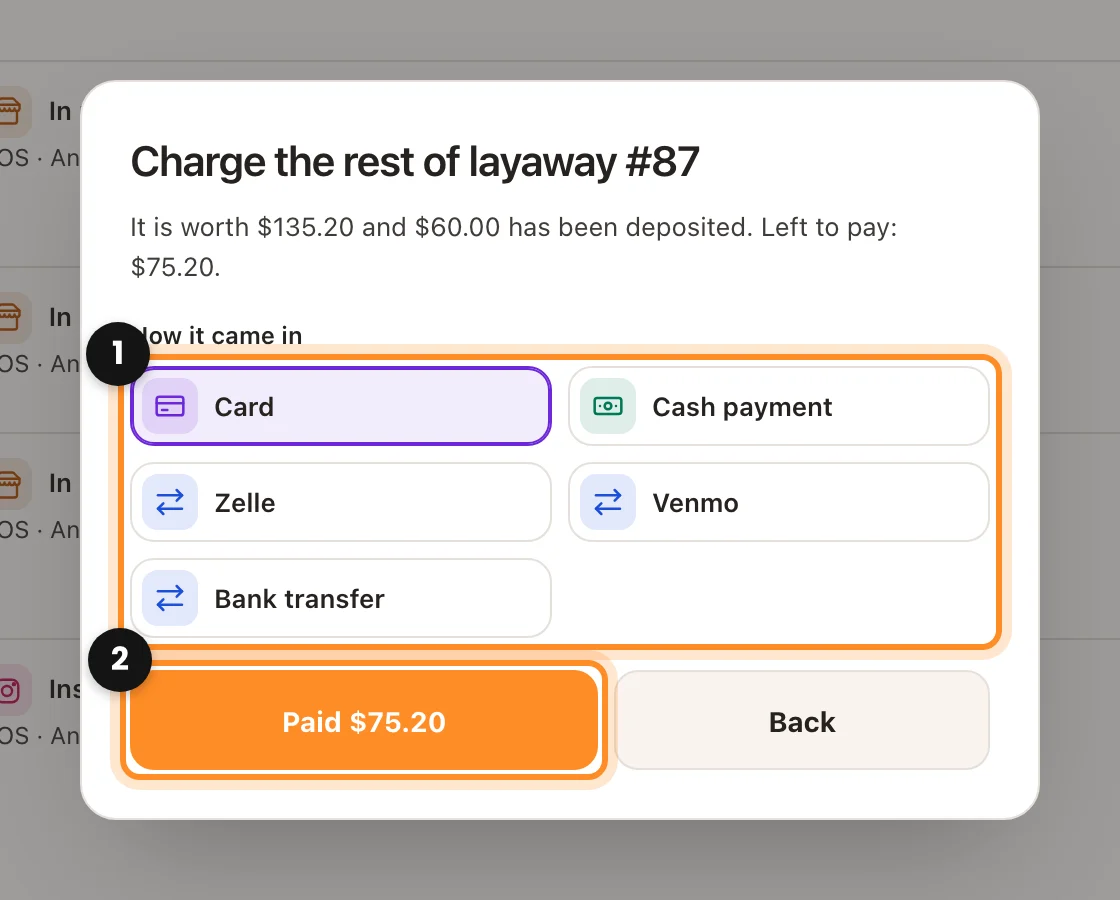
- Tap how the rest came in (1), which can be different from the deposit, and tap Paid with the amount (2). The order moves to To ship.
- To remind them, the WhatsApp button opens the message again, with what is left. With text messages, it says Text message.
Another deposit and changing the deadline
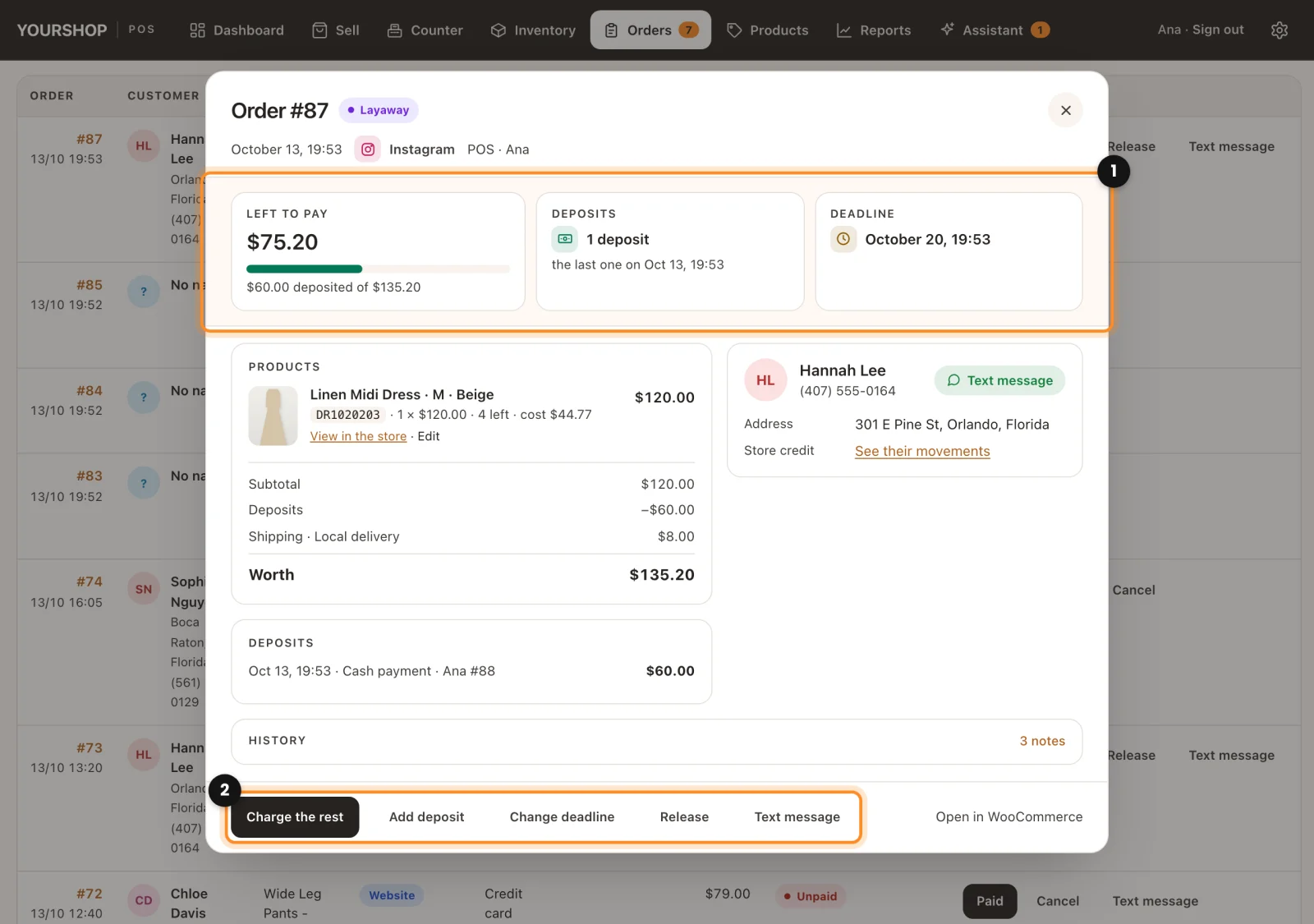
Tap anywhere on the layaway to open its detail. At the top (1) are what is left to pay, with a bar of what has been deposited, how many deposits it has and when it expires; under the products, the list of deposits (when, how and who took it). Its buttons are below (2):
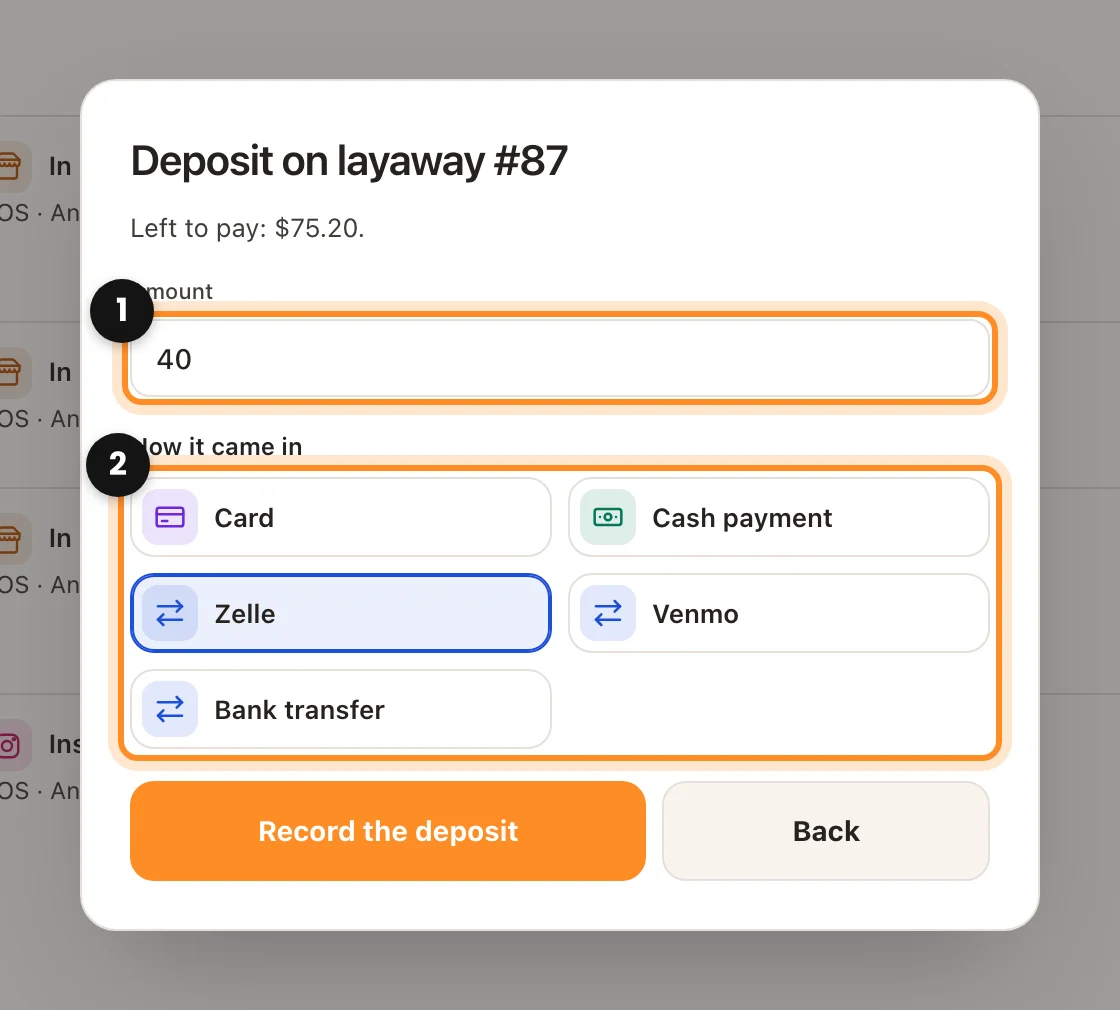
- Add deposit: the customer leaves another part. Write the amount, tap how it came in and Record the deposit. It counts as a sale that day and lowers what is left. If that deposit pays it in full, the layaway moves to To ship on its own.
- Change deadline: extend it, shorten it or leave it with No deadline. The new deadline counts from that moment.
Release a layaway
If the customer changes their mind, tap Release. The product goes back to stock. If the layaway has no deposits, you only confirm. If it has, the register asks what happens with that money:
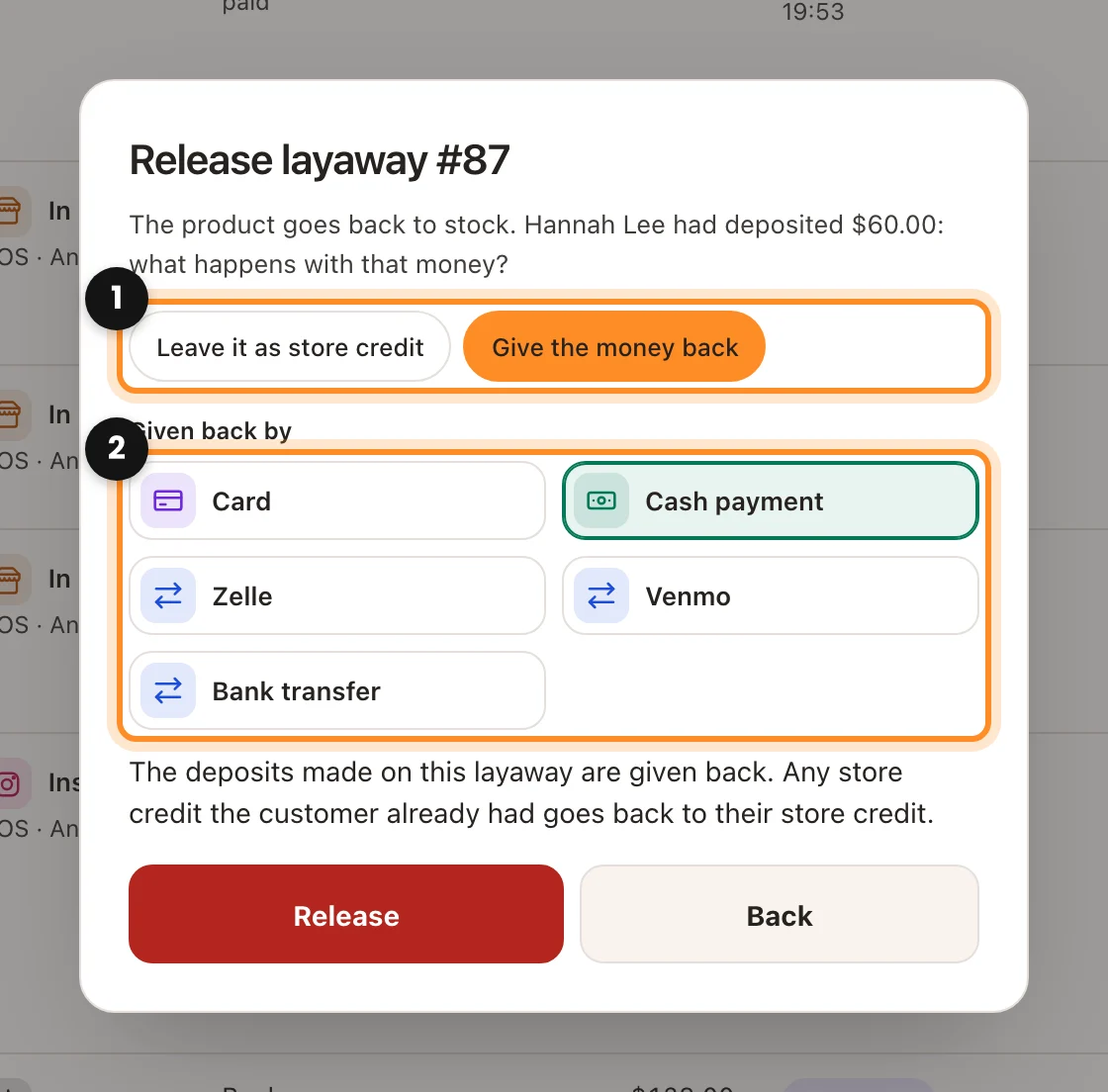
- Leave it as store credit (1): what was deposited stays as the customer’s store credit, under their phone number, for another purchase. It comes selected. See store credit.
- Give the money back: choose how it is given back (2). That money comes off the sales on the day it goes out. If the layaway used store credit the customer already had, that part goes back to their store credit. Only administrators and shop managers see this option; with the Cashier role, what was deposited always stays as store credit.
When it expires
- With no deposits: when the deadline passes, it cancels itself and the units go back to stock. It stays in the list as Cancelled, and its history says it expired.
- With deposits: it does not cancel itself, because the customer already paid part of it. It stays as Expired until you extend the deadline or release it.
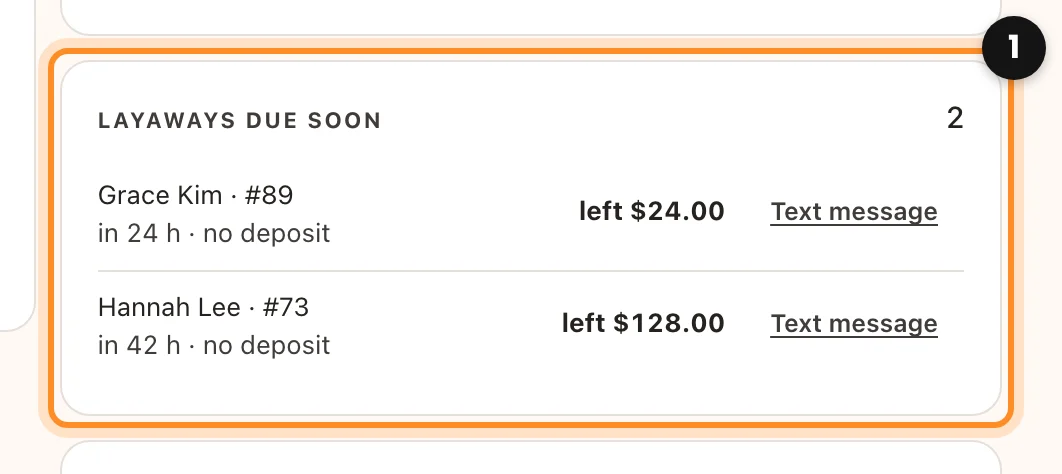
To call in time, the Dashboard has the Layaways due soon card (1): the ones that expire within 3 days and the expired ones with deposits, with what was deposited, what is left and the WhatsApp button.
The deadline and the message
Both are in WooCommerce › Dox POS › Layaways:
- Held for: the deadline each layaway starts with, in hours or days. It starts at 48 hours. With Layaways do not expire, they start with no date (you can still give one a deadline when you put it on layaway).
- Layaway message: the text the customer gets. Tap a placeholder to insert it:
{name},{items},{total}(what it is worth),{due}(when it expires),{deposit}(what was deposited),{remaining}(what is left),{hours}(the hours it has left),{link}(the payment link) and{store}(your brand name). A line whose placeholder does not apply, like the date of a layaway with no deadline, removes itself. Default message brings back the original text. - How to pay outside the link: a line added at the end of the message, as is, for example your account number. Empty, only the link goes.
The preview on the right shows the message as the customer will read it. Press Save changes when you are done.
No signal? A layaway recorded with no connection is kept on the phone and goes in on its own when the connection is back. Adding a deposit, charging the rest or releasing do need a connection.