
Dox POS Pro · 0.32 or newer
What you may need once the Pro is running: get your key back, check the licence, move it to another site, keep the Pro updated, and change the card or cancel the subscription.
Get your key back
- Open my.doxstudio.com/my-key. No account or password needed.
- Type the address you bought with in Email (1) and click Send me my key (2).
- The email “Your Dox Studio licence key” brings every key bought with that address and whether each one is active.
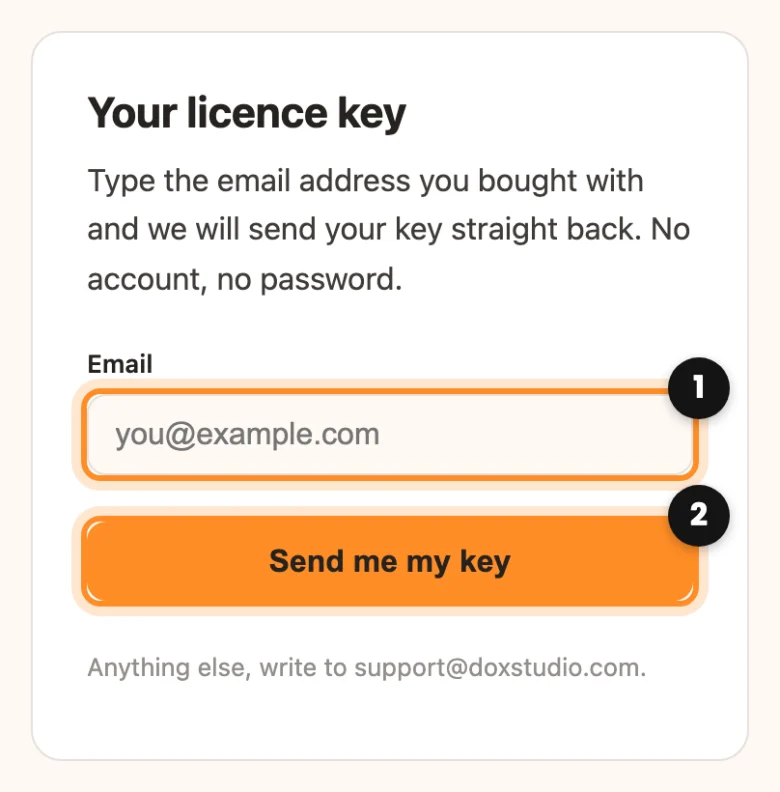
The page answers the same whether or not the address bought a licence, so nobody can use it to find out who your customers are. If it did not arrive, check the spam folder. After five tries it asks you to wait a few minutes. The same link is in the Licence tab, under Lost your key?
Check your licence
Go to WooCommerce › Dox POS and open the Licence tab (with other Dox Studio plugins, under Dox Plugins › POS). Your licence shows the Status (Up to date or No updates), the Key, the Plan (Monthly, Yearly or Lifetime), when it Expires and the Site. It checks itself once a day.
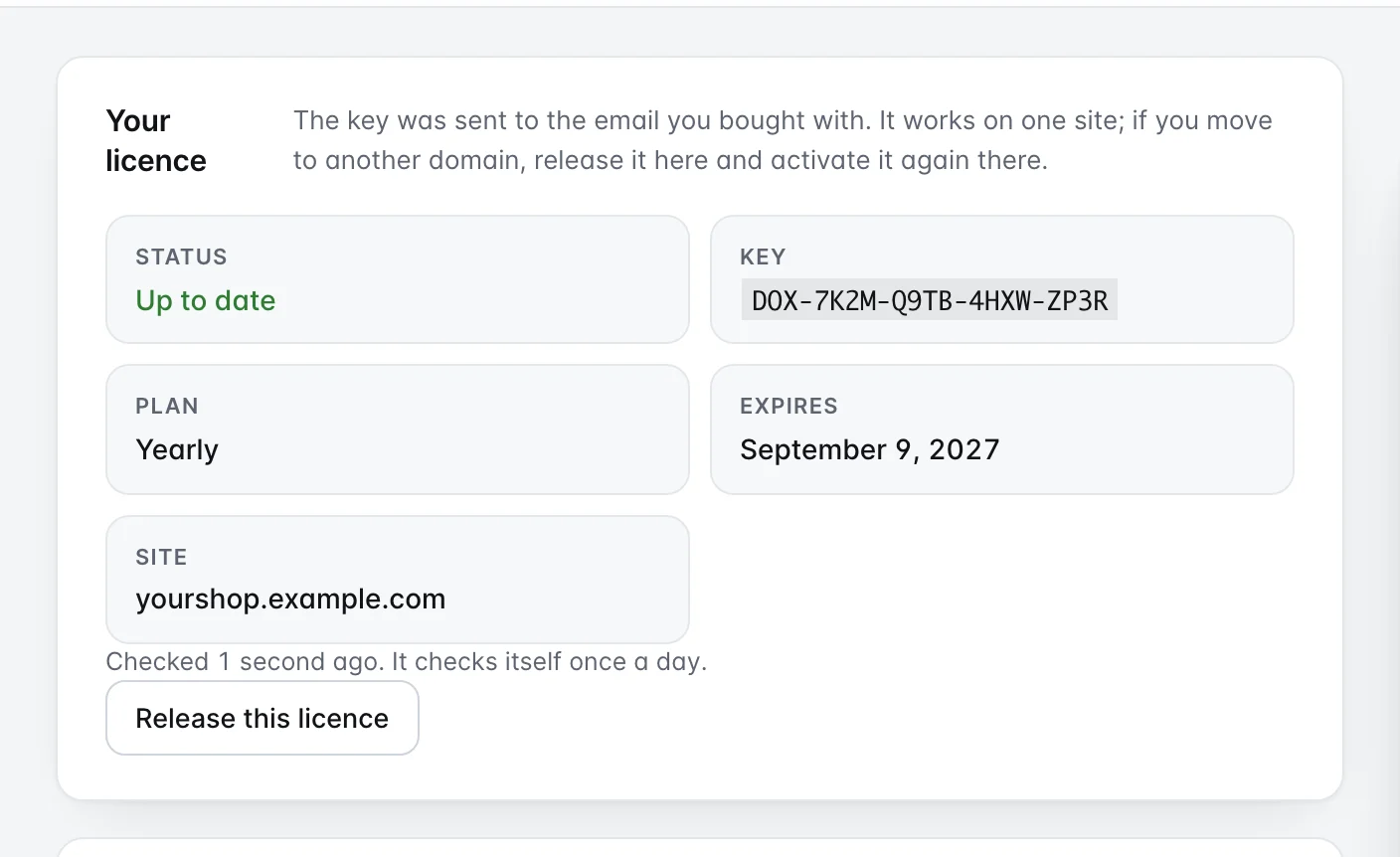
If it says No updates, the tab explains why. The register keeps working the same; to renew, write to support@doxstudio.com.
Move it to another site
- A key works on one site at a time. On the site you are leaving, open the Licence tab and click Release this licence.
- Confirm. The tab says “Licence released. You can now use it on another site.” On that site the Pro stays installed, but it no longer gets updates or the questions of your plan.
- On the new site, install the Pro and paste the key: Activate your Dox POS Pro licence.
If the old site no longer exists and you cannot release it, write to support@doxstudio.com.
Keep it updated
- Dox POS Pro: with the licence up to date, a new version shows up in Plugins like any other plugin, and you update it from there. Without an up-to-date licence no update is offered, and the version you have keeps working.
- Dox POS: the free plugin updates from WordPress.org, the same way.
- Order: the Pro needs Dox POS 0.36 or newer. With an older one, WordPress shows “Dox POS Pro needs Dox POS 0.36.0 or newer. Update Dox POS and the assistant will come back.” and the assistant is hidden until you do.
Change the card, see invoices or cancel
The subscription is billed through Stripe. Open the billing portal and sign in with the email you bought with: Stripe sends you a link to get in. From there you change the card, download your invoices or cancel the subscription.
If you cancel: the register keeps selling as always, and Today, the review, the forecast, sales recovery and Performance keep working. What stops is the updates of the Pro and the assistant’s questions through our server, unless you use your own OpenAI key.