
Free plugin · Dox POS 0.41 or newer
The Reports tab of the register gathers the sales, the daily cash and the stock ledger for the period you choose, and each one downloads as a real Excel file.
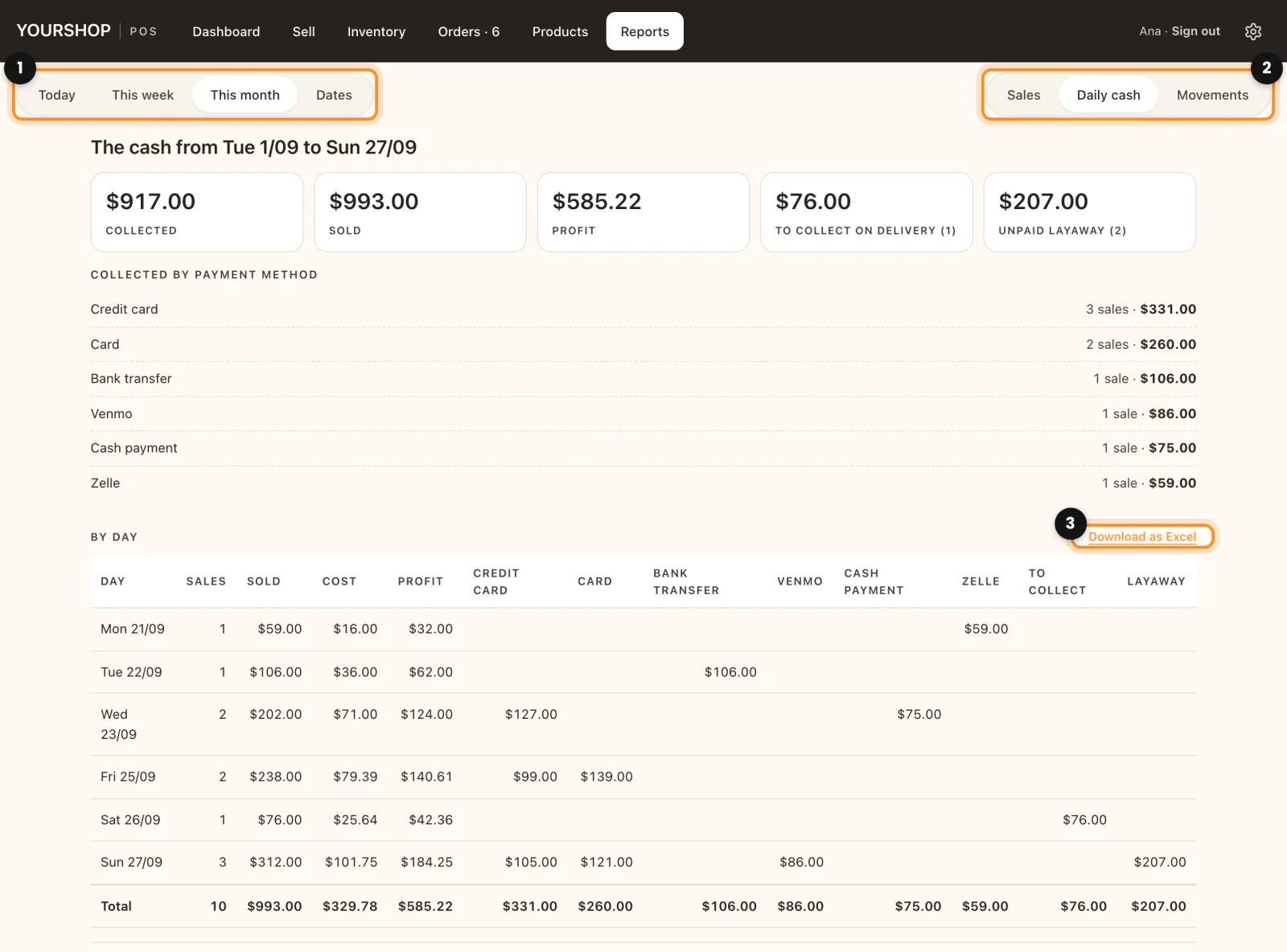
Choose the period and the report
- Open Reports.
- Choose the period (1): Today, This week (from Monday), This month or Dates, which asks for a start and an end. A period covers up to one year.
- Choose the report (2): Sales, Daily cash or Movements.
- Tap Download as Excel (3), next to the list, to get the same period in a file that opens in Excel, Numbers or Google Sheets.
What each report shows
- Sales: what was Sold, the number of sales and units and the amount Per sale, then the totals By channel, By payment method and By salesperson, and the list of orders. The Excel file has one sheet with each order and a Summary sheet.
- Daily cash: what was Collected and Sold, what is left To collect on delivery and the Unpaid layaway. Below, Collected by payment method, a table By day with one column per payment method, and the orders still To collect. It is the report for closing the day.
- Movements: the stock ledger, explained below.
The stock ledger
Movements keeps every sale, stock entry, cancellation and stock change, with its reason and who did it, including the changes made in WooCommerce. Each row says When, the Product, how many there were Before, the Change and how many are left After.
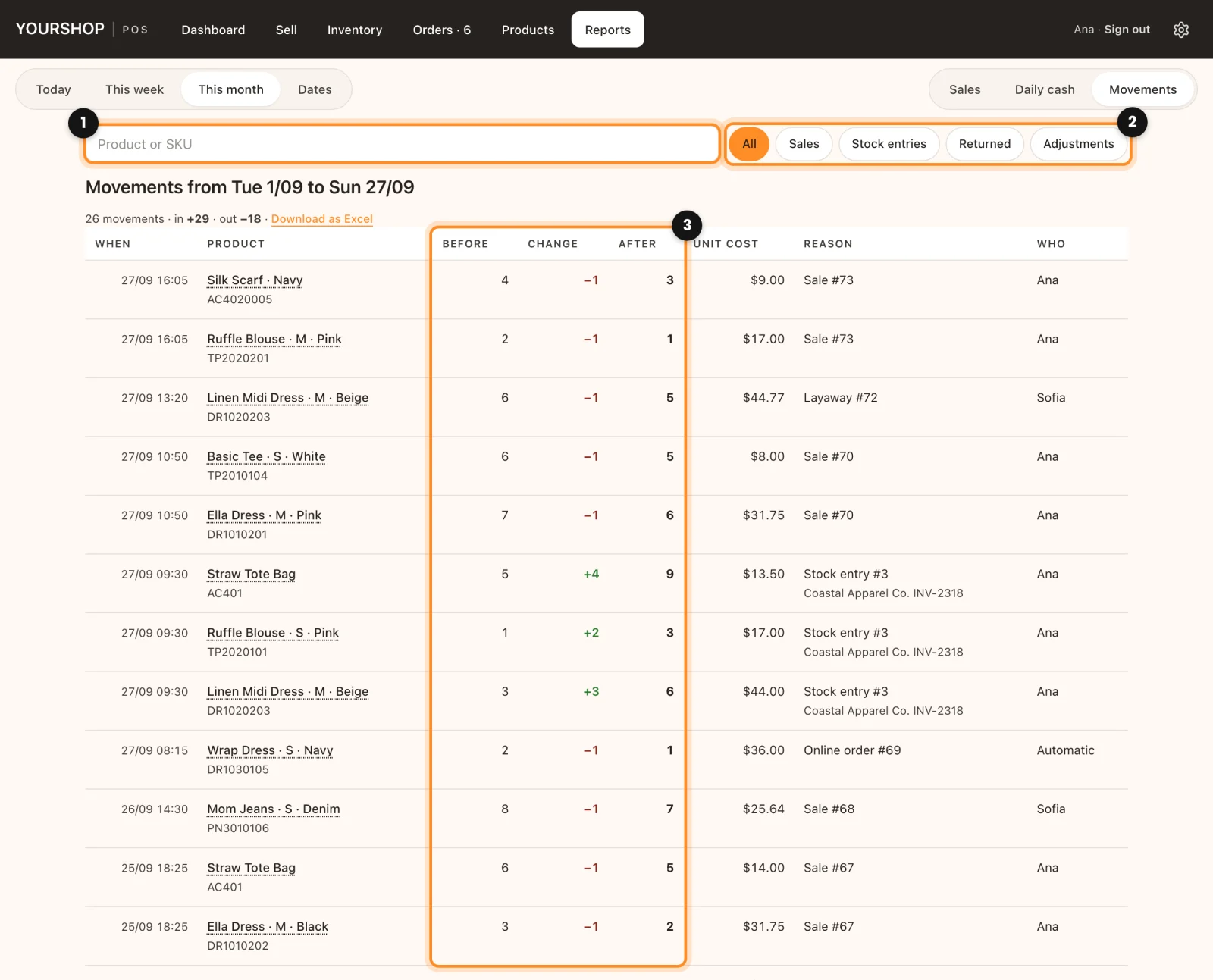
- To follow one product, type it in Product or SKU (1), or tap its name in any row. See them all brings the whole list back.
- To see one kind of movement, tap Sales, Stock entries, Returned or Adjustments (2). All shows everything.
- Read the three numbers (3): if After does not match what is on the shelf, the rows above tell you where the difference came from.
Its Excel file keeps the filters you chose, with a Movements sheet and a Summary sheet.
Who sees what: administrators and shop managers see all three reports, with costs and profit if they are on. For someone with the Cashier role the tab is called My day and shows only their own sales of today, which they can also download as Excel.
Before this: Costs and profit