
How can we help
with Dox POS?
Guides for Dox POS and Dox POS Pro, step by step and with screenshots.
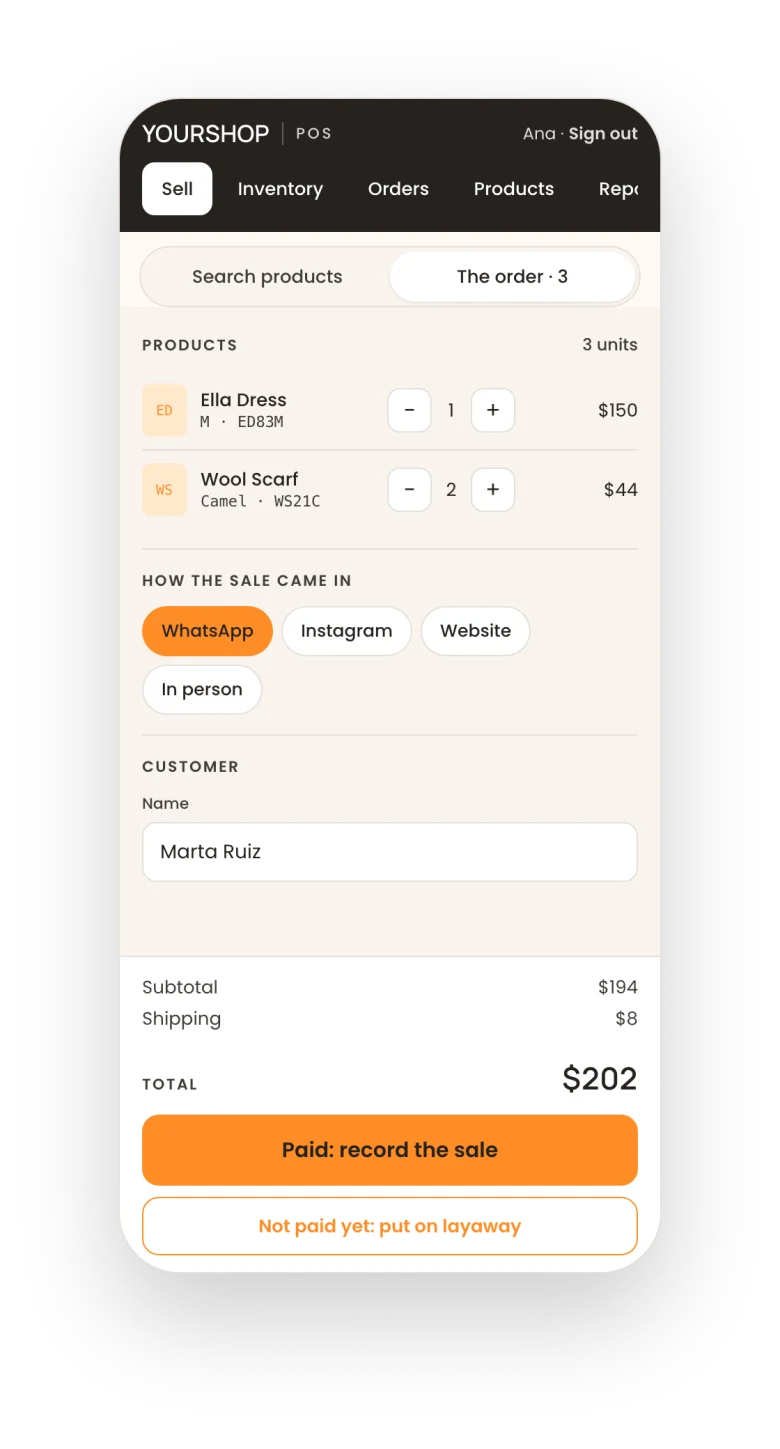
Popular: Record a sale
Browse by topic
Every guide, grouped by what you want to do.
Orders and shipping
3 guides
Products and stock
3 guides
Account and help
3 guides
Quick answers
What people ask most, answered in two lines, each with the guide that explains it.
The register
Where it is and who gets inWhere is my register?
At your site’s address followed by /pos (/caja on a site in Spanish). It’s also at the top right of WooCommerce › Dox POS.
Who can sign in?
Administrators, shop managers and anyone with the Cashier role, each with their WordPress user.
Install Dox POSDo I need a printer or a cash drawer?
No. Dox POS runs in the browser, and a phone is enough.
Install Dox POSCan I change its name and colors?
Yes. In WooCommerce › Dox POS › Brand you set the name, the logo and the five colors of the register.
Make the register yoursSelling
Sales, layaways and stockWhat if there’s no signal?
A sale recorded with the screen open stays on the phone and goes in on its own when the connection is back, without duplicating.
Record a saleCan two people sell at the same time?
Yes. The order holds its units the same way the checkout does, so the last one can’t be sold twice.
Record a saleThe customer hasn’t paid yet?
Tap Not paid yet: put on layaway. The units are held for that customer until the deadline you set.
Put products on layawayWhere do the sales go?
Each sale is a WooCommerce order: the stock goes down on its own and the order shows up in WooCommerce › Orders.
Record a saleDox POS Pro
Your key and your licenceLost the email with your key?
Check the spam folder, or get it again at my.doxstudio.com/my-key with the email you bought with.
Activate your licenceMoving to another domain?
Click Release this licence on the current site, then paste the key on the new one.
Activate your licenceWhat if the subscription ends?
The register keeps selling as always. What stops is the Pro updates and the assistant’s questions through our server.
Activate your licenceTeam and products
Who sells and what you sellCan someone sell without seeing my costs?
Yes. Give them the Cashier role: they sell and record stock, and never see what your products cost or the WordPress dashboard.
Give your team accessCan I create products from the phone?
Yes. The Products tab of the register creates them with photos, sizes, colors and units, and they are in your store right away.
Create productsOrders and shipping
Tracking and shipping costsDoes the customer get the tracking number?
Yes. Mark the order as shipped with the carrier and the tracking number: they get an email with it, and the text message is ready to send.
Mark as shippedDoes the website charge the same shipping?
Yes. The shipping costs you set in the register are WooCommerce shipping zones, so the register and your checkout charge the same.
Set your shipping costsProfit and reports
What each sale leavesCan I see the profit of each sale?
Yes, with costs turned on. Reports › Sales shows the profit of the period with its margin, and each order carries its own.
Costs and profitHow do I close the day?
Open Reports › Daily cash: what was collected by payment method, day by day, and it downloads as Excel.
ReportsDidn’t find it?
Write to us and tell us what you were trying to do. If you have the Pro, add your site so we can look at your licence.
So we can answer on the first email
- Your site’s addressThe one where Dox POS is installed.
- The version you useIt’s next to Dox POS on the Plugins page.
- What you were trying to doAnd what you saw instead. A screenshot helps.
The business assistant, inside your register
What is pending today, the review of your shop, the chat, the forecast and the daily summary by email. When you buy it, the key arrives by email.
US$12 a month or US$99 a year